
1. Introduction & Executive Summary
Traditional jewelry photography is often expensive, slow, and operationally exhausting.
Consider a standard seasonal collection launch: 20 new SKUs featuring rings, pendants, and drop earrings. A typical commercial shoot requires hiring a freelance jewelry photographer and retoucher ($600), booking a basic studio ($250), hiring a freelance model for a half-day ($400), and accounting for sample shipping and handling ($150). The final bill easily reaches $1,200 to $1,500, and finished, color-corrected images take 2 to 3 weeks to hit your inbox.
Generative AI offers a way to streamline this bottleneck—slashing total collection production costs from over $1,200 to under $15. Using specialized platforms like aijewelrymodel.com, that same 20-SKU line converts from raw smartphone flat-lays into professional model photos in under 15 minutes.
Jewelry is notoriously brutal for AI image generation. General-purpose models tend to treat a luxury ring or a diamond pendant like any other everyday product, which can occasionally turn solid 18k gold into muddy mustard plastic, mute gemstone fire, and awkwardly float bands over fingers without proper ambient shadows.
Traditional Shoot | AI Jewelry Workflow |
Cost: $1,200 – $1,500 | Cost: <$15 |
Turnaround: 2–3 Weeks | Turnaround: 15 Minutes |
Logistics: Studio, Models, Shipping | Logistics: 1 Smartphone Flat-Lay |
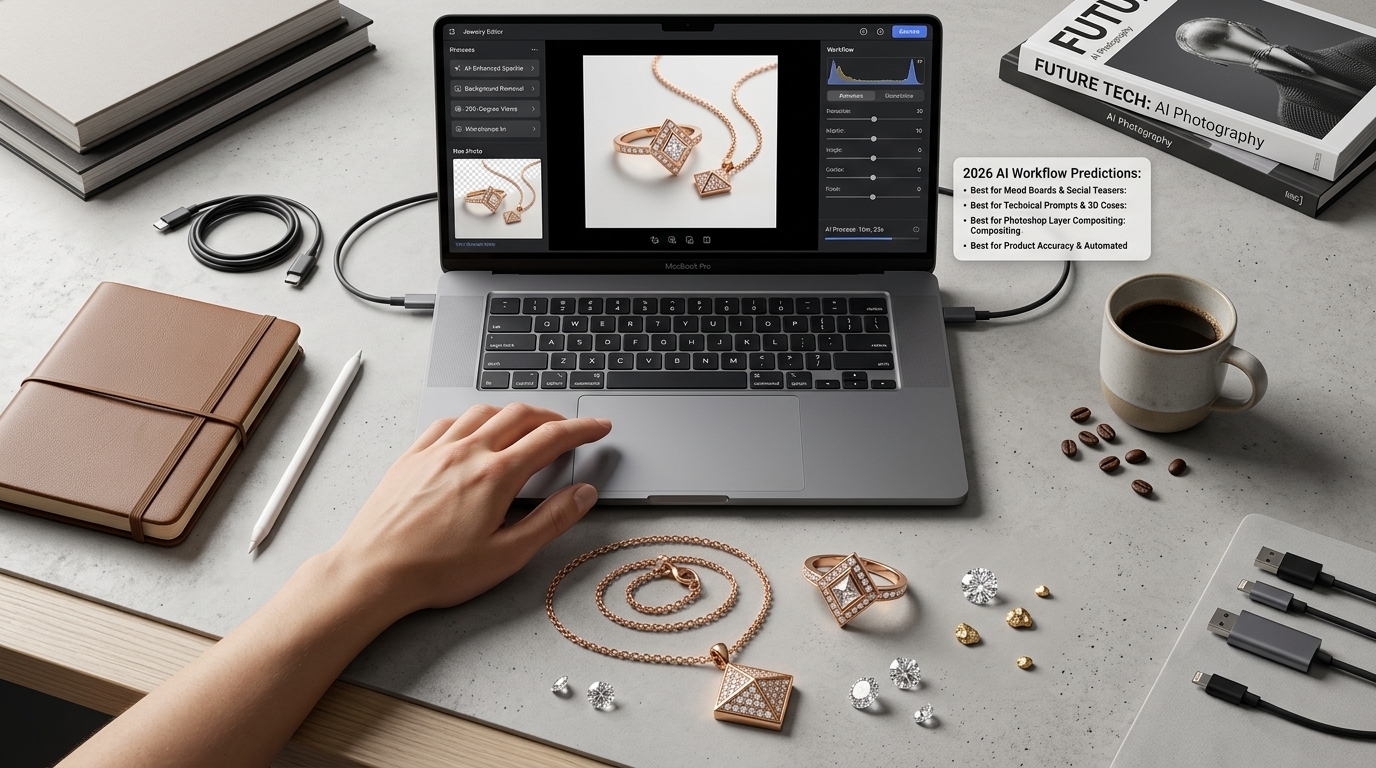
Quick Overview for 2026:
Best for Mood Boards & Social Teasers: Midjourney v6.1
Best for Technical Prompts & 3D Concepts: Flux 1.1 Pro
Best for Manual Photoshop Layer Compositing: Adobe Firefly 3/4
Best for Product Accuracy & Automated Try-Ons:
aijewelrymodel.com
2. Our Testing Methodology: How We Evaluated These Models
To keep things practical and results-driven, our testing focuses directly on real e-commerce workflows rather than theoretical benchmarks:
Source Material: We tested each platform using unretouched smartphone flat-lays of real gold, silver, and diamond jewelry.
Evaluation Focus: We judged each tool on core commercial criteria: product accuracy, metal highlight behavior, gemstone light dispersion, skin contact realism, and ease of workflow integration.
Market Feedback: We cross-referenced our findings with widespread discussions and common frustrations shared by active online merchants in e-commerce communities.
3. Comprehensive Comparison Matrix (Top AI Models in 2026)
We tested leading foundational AI image generators alongside dedicated jewelry platforms across our core commercial benchmarks:
AI Model / Platform | Primary Strengths | SKU Preservation (Product Accuracy) | On-Model Try-On Support | Best E-Commerce Use Case |
Midjourney v6.1 | Editorial lighting & atmospheric mood | Low (Generates new interpretations) | Prompt-based only (Varies) | Brand mood boards & social media teasers |
Flux 1.1 Pro | Descriptive prompt compliance & clean lines | Low (Generates new interpretations) | Prompt-based only | Studio product concepts & 3D renders |
Adobe Firefly 3/4 | Native Photoshop integration & editing | Medium (Via Generative Fill) | Manual Layer Compositing | Banner extensions & ad creative edits |
Google Imagen 3 | Natural daylight balance & soft shadows | Low (Generates new interpretations) | Web banners & marketing variations | Web banners & marketing variations |
Leonardo AI | Community style presets & canvas tools | Low-Medium (Requires inpainting) | Manual Canvas Inpainting | Background swaps & lifestyle edits |
DALL-E 3 (OpenAI) | Conversational prompting in ChatGPT | Very Low | Poor | Quick initial design sketches |
aijewelrymodel.com | High Product Fidelity & Consistent Try-Ons | High Product Preservation | Automated Multi-Demographic Fitting | Shopify PDPs, Amazon Listings, Etsy, Virtual Try-Ons |
4. The "SKU Drift" Problem: Why General AI Models Fail Jewelry Sellers
Foundational image models generate stunning artwork, but they present a notable liability for online retail: "SKU Drift."
What is "SKU Drift"?
"SKU Drift" happens when an AI tool renders a beautiful, photorealistic piece of jewelry that does not match your actual physical inventory.
General text-to-image engines do not read product catalogs. They pull features from billions of internet photos. When you ask a general model for a "18k gold diamond solitaire ring," it renders a ring—but it is typically a random, imagined variation rather than your specific piece.
The Risk of SKU Drift (A Common Scenario)
Consider a typical online store situation:
A brand sells a custom 1-carat cushion-cut yellow diamond ring with a 6-prong solitaire setting. The team uses Midjourney to generate campaign visuals. Midjourney produces a gorgeous shot, but alters the setting to a vintage 8-prong floral halo with pave accents.
The photo performs well on social media and drives initial orders. However, when customers open their packages, they find a minimalist 6-prong ring instead of the halo design.
The result? An avoidable return spike, customer service friction, and unnecessary friction.
Scaling brands generally find it safer to rely on product consistency paired with clean, realistic lifestyle backgrounds.
5. The 4 Things AI Usually Gets Wrong About Jewelry
When buyers look at jewelry online, their eyes spot unnatural details quickly. To look like a real photo, an AI image has to get four fundamental things right:
1. Metal Shine & Reflections: Natural gloss & soft edges
2. Diamond Sparkle: Rainbow light flashes inside
3. Tiny Details & Prongs: Crisp bezels & interlinked chains
4. Skin & Body Fit: Real shadows & natural gravity
Pillar 1: Metal Shine & Reflections
Real gold, silver, and platinum catch surrounding light with smooth, organic highlights.
Weak AI Render: The metal looks like flat yellow paint, dull foil, or cheap mustard-colored plastic.
Good Photo: Features crisp highlight edges, a smooth transition of sheen along curved bands, and soft color reflections from the surroundings.
Pillar 2: Diamond Sparkle (The "Fire")
Real diamonds and gemstones break white light into subtle flashes of color.
Weak AI Render: Stones look like cloudy gray glass, flat white spots, or lifeless plastic.
Good Photo: Captures clean, sharp facet lines with tiny bursts of light bouncing from deep inside the stone.
Pillar 3: Tiny Details & Prongs
Jewelry depends on fine craftsmanship—tiny metal prongs holding a stone, micro-pave beads, and delicate chains.
Weak AI Render: Prongs blur right into the gemstone, and chain links merge together into a solid wire.
Good Photo: Shows clear, distinct boundaries—prongs grip the stone corners properly, and chains show individual, linked loops.
Pillar 4: Skin & Body Fit (Gravity)
When worn, metal and gemstones naturally interact with human skin under real gravity.
Weak AI Render: Rings look like floating digital stickers pasted onto fingers with zero drop shadows.
Good Photo: Displays natural skin contact—a faint shadow right under the band where it touches flesh, slight skin compression, and necklaces resting softly along collarbone curves.
6. Detailed Breakdown of the Top 7 AI Models in 2026
We tested each platform using raw, high-resolution product photography. Here is how they tend to perform in day-to-day use:
1. Midjourney v6.1
If you are looking to build an editorial vibe that mimics a high-end fashion magazine, Midjourney is often a go-to choice. It handles dramatic lighting, warm sun flares, and moody atmospheric shadows remarkably well.
At the same time, it operates entirely on imagination rather than your product catalog. Each generation creates a fresh interpretation, which means delicate elements like thin chains can occasionally look a bit distorted or blend into the background. While it works wonders for early visual concepts or social media inspiration, it requires caution when used for direct product listings where exact design matching matters.
Pricing: $10 – $120/mo
2. Flux 1.1 Pro
Created by Black Forest Labs, Flux has caught on with creators who enjoy fine-tuning descriptive text prompts. It tends to follow instructions closely, keeping geometric lines and metal angles looking fairly crisp.
However, straight out of the box, the results can sometimes lean toward a clean, computer-rendered aesthetic. Getting a truly natural look often depends on layering in extra notes about camera lenses or subtle studio imperfections.
Pricing: ~$0.04/image via API
3. Adobe Firefly 3 / 4 (via Photoshop)
Living directly inside Photoshop, Firefly fits nicely into workflows for designers who are already comfortable with hands-on photo editing. Tools like Generative Fill make it straightforward to extend a background or adjust a model's clothing around an existing shot.
On the other hand, it is not a one-click automated solution for e-commerce catalogs. Placing a complex ring onto a hand with accurate contact shadows still involves manual masking and layering per item, which can take up considerable time when you have a large inventory to roll out.
Pricing: ~$59/mo bundled with Creative Cloud
4. Google Imagen 3
Google’s vision model handles natural, diffused daylight quite gracefully. If your goal is to make gold or silver pick up gentle window light without blowing out the highlights, Imagen performs decently.
The main limitation for jewelry sellers is that it doesn't recognize specific product geometries. Because it treats the jewelry more like a general concept, finer details—such as pave diamond settings—can sometimes lose their sharpness.
Pricing: Integrated via Google Vertex / Gemini API
5. Leonardo AI
Leonardo provides a feature-rich web interface equipped with various community styles and editing tools. Its brush features make it relatively simple to mask out a busy background and drop the subject into a clean studio setting.
For large catalogs, though, the manual workflow can become a bottleneck. Adjusting items SKU by SKU requires a fair amount of repetitive touch-up work, which might test your patience if you are facing tight seasonal deadlines.
Pricing: Free tier available; paid plans from $10/mo
6. DALL-E 3 (via ChatGPT)
DALL-E 3 is approachable for beginners because you can simply chat back and forth in plain English to test out visual ideas. It picks up on conversational descriptions with ease.
Where it falls short for online retail is the overall surface texture. The finishes often look a bit smooth or illustrative rather than metallic, meaning the results usually stay in the brainstorming phase rather than heading to a live storefront.
Pricing: Included with ChatGPT Plus at $20/mo
7. aijewelrymodel.com
This platform approaches things from a different angle, focusing specifically on helping merchants manage product consistency across lifestyle shots. Instead of generating a brand-new item from text, it builds around your uploaded flat-lay photos to place your actual jewelry onto models.
The system aims to keep your original metalwork and stone placements steady while mapping the piece naturally onto hands, necklines, or ears with realistic contact shadows. It is tailored for online sellers who want to expand their catalog visuals while keeping things looking true to the source inventory.
Pricing: Flexible monthly plans
7. Category-Specific AI Challenges: How to Handle Different Jewelry Types
Jewelry is notoriously tricky because every piece interacts with the human body in a totally different way. If an AI generator doesn't respect how metal and stones naturally behave on skin, shoppers will spot the disconnect instantly. Here is what to keep an eye on across different categories:
Rings: A weak render often makes a ring look like a flat digital sticker pasted right onto a finger, with zero physical connection. A proper model shot needs a soft, subtle shadow tucked directly underneath the band, along with a hint of natural skin compression where the metal rests against the finger.
Necklaces & Pendants: General AI models have a tendency to turn delicate chains into stiff, straight wire, or let the pendant bail blur right into the model's collarbone. Real chains need to drape following the natural curves of the body, with crisp connector loops that stay distinct against the skin.
Earrings: When a model wears heavy drop earrings, the earlobe naturally shows a slight, natural downward pull from the weight. Also, watch out for how hair interacts with the metal—weaker renders often let stray hairs slice right through the piece, whereas a balanced image keeps hair softly layered behind or around the jewelry.
Bracelets & Bangles: Wide metal cuffs or bangles can easily end up looking like dull, flat gray tubes. Polished metal usually requires soft, curved reflection highlights that wrap around the shape of the wrist to show the true roundness of the gold or silver.
8. What Real E-Commerce Sellers Are Saying
If you browse online seller communities or chat with other Shopify store owners, you hear the same frustration over and over again:
"We tried using Midjourney for our catalog last holiday season. The photos looked incredible on Instagram, but our return rate spiked because customers thought they were buying an elaborate halo ring based on the AI shot, when they actually ordered our basic 4-prong solitaire. It's just not worth sacrificing product accuracy for social media likes."
— Independent Shopify Store Owner
9. A Practical Prompt Guide for General AI Models
When using general-purpose models for background generation or creative concepts, skip unnecessary hype words like "8k, masterpiece, hyper-realistic, luxurious." They only confuse the model and make your jewelry look like airbrushed plastic.
Instead, build your prompts using real camera and lighting terminology:
[Product & Metal Specs] + [Gemstone Cut & Details] + [Studio Lighting] + [Camera & Lens Settings] + [Negative Prompts]
Real-World Prompt Examples
Example 1: Solitaire Engagement Ring (Macro Studio Shot)
❌ What to Avoid:
Best quality masterpiece 8k hyper-realistic gold diamond ring beautiful luxurious photo(Result: Yellow plastic metal, cloudy stone, and a fake, smooth finish)
✅ Recommended Prompt:
Macro studio photograph of a solid 18k yellow gold band ring, 2-carat cushion-cut solitary diamond, sharp prongs holding stone securely. Softbox studio lighting reflecting clearly along gold band curves, subtle light refraction through diamond facets. Shot on Hasselblad H6D-100c, 120mm macro lens, f/8 aperture, shallow depth of field, neutral linen backdrop --no blur, plastic sheen, distorted prongs, foggy stone
Example 2: Pearl Pendant Necklace (Natural Daylight Lifestyle Shot)
✅ Recommended Prompt:
Commercial portrait photograph of a model wearing a delicate 14k rose gold chain with a single freshwater pearl pendant. Soft natural window sunlight from the side, skin pores and subtle collarbone shadow visible, wearing a soft white linen blouse. Shot on Sony A7R V, 85mm lens, f/2.8, soft organic depth of field --no heavy skin airbrushing, oversaturated colors, floating jewelry
Example 3: High-Jewelry Emerald Earrings (Dark Mood Shot)
✅ Recommended Prompt:
High-end campaign photograph of Colombian emerald drop earrings set in platinum. Rim lighting highlighting micro-pave diamond borders, dark moody slate background, crisp reflection on polished surface. Shot on Phase One XF 100MP, f/11, macro detail --no noisy grain, dull gem colors, melted metal
Essential Negative Prompt Library:
--no plastic shine, foggy diamond, extra prongs, distorted geometry, oversaturated yellow, cartoon texture, blurry facets, floating metal, airbrushed skin
10. Multi-Channel E-Commerce SOP: From Flat-Lay to High-Converting Listings
Smart online stores don't just use the same picture everywhere. They arrange their visuals depending on where the customer is shopping:
[Clean Studio Flat-Lay Source Shot]
               │
               ▼
   [aijewelrymodel.com Processing]
               │
   ┌───────────┼───────────┐
   ▼           ▼           ▼
[Shopify PDP] [Amazon Main] [Meta / TikTok Ads]
1. Shopify & Store Product Pages (PDPs)
What matters most: Keeping shoppers on the page long enough to buy and reducing second-guessing.
How to set it up: Start with a clean, white-background flat-lay as your main hero image, then follow up with 3 to 4 lifestyle shots generated via
aijewelrymodel.com. Showing the jewelry on different skin tones, hand gestures, or necklines helps buyers instantly understand the actual size and fit.
2. Amazon & Etsy Listings
What matters most: Following marketplace rules while winning clicks.
How to set it up: Amazon strictly requires a pure white background for the very first main image. For images 2 through 6, use AI-generated model photos to show scale and real-world context, which goes a long way in cutting down returns.
3. Meta (Facebook / Instagram) & TikTok Ads
What matters most: Stopping the scroll in a crowded feed and keeping ad costs down.
How to set it up: Use dynamic, high-contrast lifestyle model shots. In everyday ad auctions, natural model photos almost always outperform static, boring product flat-lays.
11. Frequently Asked Questions (FAQ)
Q1: Can Midjourney or Flux keep my exact jewelry design consistent?
Not really. General AI models just guess what a ring or necklace looks like based on text. Every time you generate an image, it creates something completely new and random. It won't match your actual product's prongs, stone cuts, or special engravings. If you need your online store to show the exact item customers are actually going to receive, general models usually change too many details.
Q2: Are AI-generated model photos allowed on Amazon and Shopify?
Yes, generally. As long as you own the rights to your original product photos and use them as the base, placing your inventory into a synthetic lifestyle setting or onto an AI model complies with standard platform guidelines. (Just remember that marketplaces like Amazon still require a pure white background for your main product hero shot.)
Q3: How do I fix "cloudy" or dull-looking diamonds in AI renders?
Cloudy gemstones usually happen when the prompt lacks clear lighting and surface reflections. Instead of vague hype words, try describing how the light interacts with the stone—such as mentioning sharp facet reflections, light bouncing through the crystal, or studio softbox lighting rather than flat, ambient room light.
Q4: Is AI image quality good enough for printed materials and trade show banners?
Most standard AI tools output web-sized files. If you need images for print catalogs or large physical displays, you will typically need to run them through a dedicated image upscaler to ensure the edges stay crisp without pixelating.
Q5: Can I use basic smartphone flat-lays to generate model shots?
Yes. Most specialized tools only require a clean, well-lit smartphone photo taken against a simple background. The system separates the item from the background, fixes the metallic lighting, and places it naturally onto a model.
Q6: Will AI completely replace traditional jewelry photography?
Probably not entirely. Traditional photoshoots still have their place for high-end luxury campaigns or celebrity endorsements. However, for everyday e-commerce catalogs, seasonal collection drops, and fast ad testing, AI has become the go-to standard for saving time and cutting production costs.
12. Final Verdict: Which AI Tool Should You Choose in 2026?
Select your tool based on your primary business goal:
Use Midjourney v6.1 for creative direction, social media teasers, and mood boards where exact product matching is not your main concern.
Use Flux 1.1 Pro for clean studio renders and conceptual ring designs generated from text prompts.
Use Adobe Firefly for manual layer editing and composites inside Photoshop.
Use
aijewelrymodel.comif you manage an active store on Shopify, Amazon, or Etsy and need to turn your actual product inventory into luxury model photos that drive real sales without changing your design details.
Ready to Upgrade Your Jewelry Store's Visuals?
Skip the multi-thousand-dollar studio bills and the weeks of waiting around for your photos to come back.
Turn your everyday flat-lay shots into professional, high-converting model images in minutes. Head over to ai jewelry model generator to check it out and see how easy it is to keep your product catalog looking sharp.