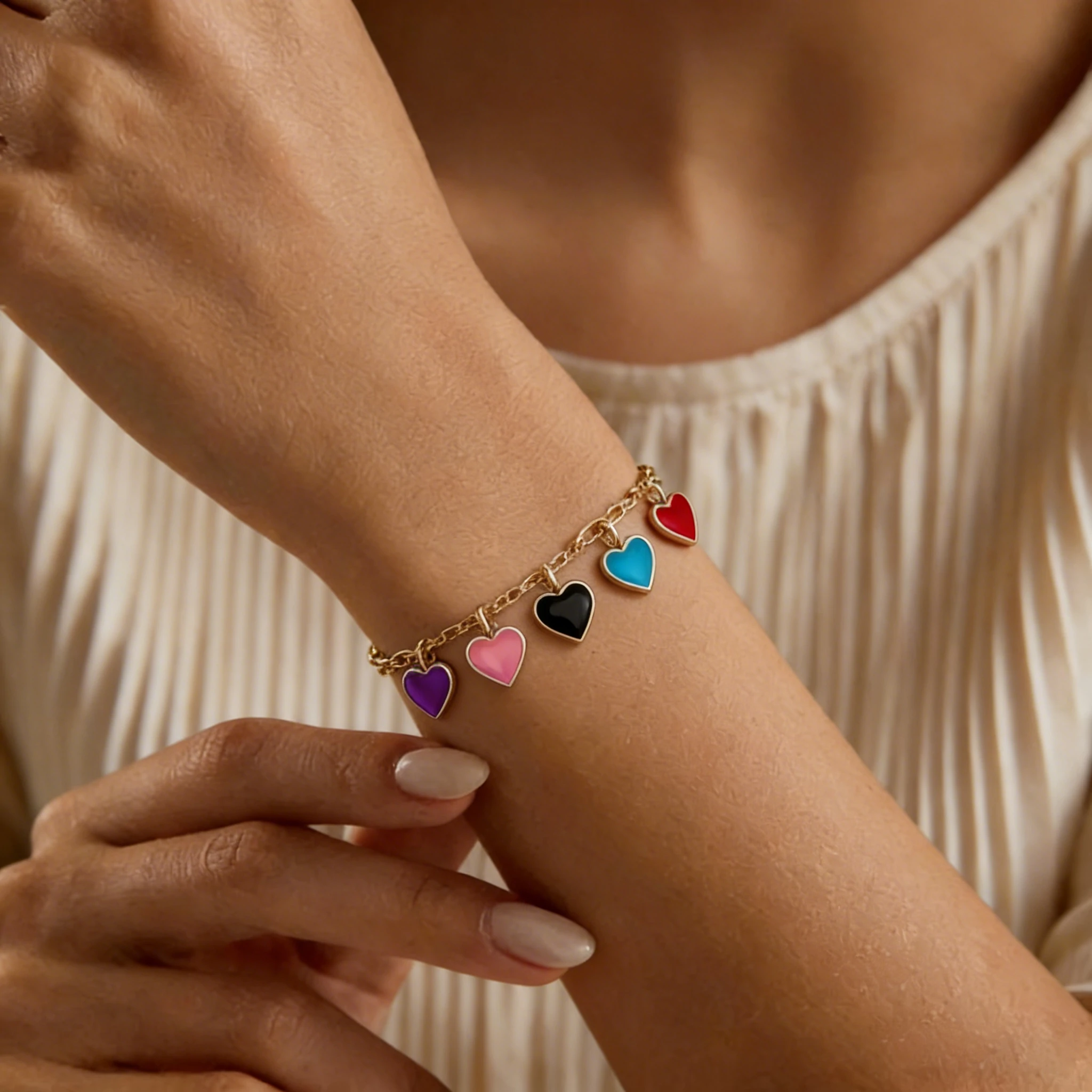
Charm Bracelet Model
See how individual charms hang from the bracelet.

Link rhythm, clasp placement, and metal finish decide whether a chain feels delicate, bold, or everyday. Keep fine links refined and heavier links substantial without making the bracelet feel heavy.
See how a simple chain bracelet product image becomes a realistic wrist-view result that shows link structure, fit, and worn appearance for ecommerce listings and ads.
Paperclip chain bracelets often look flat in product shots, making it difficult for customers to judge proportion and wearability. The on-wrist result reveals how the links sit naturally and how the bracelet complements everyday styling.
Cuban chain bracelets are defined by bold links and polished surfaces, but flat photos often fail to show their true wrist presence. The on-wrist result makes the bracelet’s scale, thickness, and shine easier to judge.
Snake chain bracelets require accurate surface continuity to feel realistic. The on-wrist result demonstrates how the chain flows naturally along the wrist without losing its smooth texture.
Fine chain bracelets are often underestimated in flat photography because of their minimal structure. The on-wrist view helps customers understand subtle scale, elegance, and everyday wearability.
This tool turns chain bracelet product photos into realistic on-wrist images, helping shoppers see how the piece looks when worn. Chain bracelet photos often fail to show real scale, link spacing, or wrist placement. This is especially true for paperclip, Cuban, and snake chains, where structure and thickness change the overall look, and lighting can flatten metal detail.
For sellers, this helps reduce uncertainty around fit and appearance, giving shoppers a clearer view of how the bracelet looks on the wrist.
Chain bracelet designs rely on subtle details like link structure, spacing, and weight. Flat product photos often fail to reflect how these elements behave when worn, making it harder for shoppers to judge real appearance and fit.
Flat images often compress or simplify link structure, making it hard to judge true scale. On-wrist views reveal how fine or bold a chain bracelet really appears when worn.
Metal surfaces react strongly to light, and flat product shots often distort texture or shine. On-wrist images restore natural lighting behavior and show more accurate material appearance.
Without a wrist reference, it’s difficult to understand how a chain bracelet sits or moves in real wear. Wrist context brings out drape, balance, and overall styling impact.
Shoppers hesitate when they cannot see how a bracelet looks when worn. On-wrist imagery helps remove uncertainty and makes purchase decisions faster and clearer.
Not every chain bracelet style looks the same when worn. Some rely on bold link patterns and strong wrist presence, while others depend on subtle texture, smooth movement, or fine metal detail. Use this guide to match each chain style with the right model-photo direction, from close wrist crops to lifestyle-ready wrist shots.
| Chain bracelet style | Key detail shoppers want to see | Best on-wrist presentation |
|---|---|---|
| Paperclip chain bracelet | Shoppers often look at link length, open spacing, and whether the bracelet feels delicate or oversized when worn. Elongated links can look very different on the wrist than in a flat product photo. | Use a clean wrist close-up to show link rhythm, negative space, and how the bracelet layers with everyday outfits or watches. |
| Cuban chain bracelet | Buyers care about width, dense links, polished shine, and overall wrist presence. Flat images can make this style look either heavier or less substantial than it really is. | Use a slightly angled wrist shot to emphasize thickness, surface reflection, and the bold look of the bracelet in real wear. |
| Figaro chain bracelet | The alternating short-and-long link pattern is the defining feature, but it can look compressed or unclear in static product photography. | Use a tighter wrist crop to keep the pattern readable while adding depth and natural movement. |
| Rope chain bracelet | Twisted metal texture and reflective depth are major selling points, especially for gold and silver finishes. Studio lighting alone can make these details look flat. | Use soft directional lighting on the wrist to reveal the woven texture and create a richer, more dimensional look. |
| Snake chain bracelet | Shoppers want to see smoothness, flexibility, and how naturally the bracelet curves around the wrist. Flat images can make this style look stiff or overly rigid. | Use a minimal wrist-view composition to show fluid movement, soft curvature, and clean metallic flow. |
| Box chain bracelet | Square edges, structured lines, and chain thickness are hard to judge without a real scale reference. | Use a sharp wrist close-up to define the geometric structure and make the bracelet feel more substantial and refined. |
| Ball chain bracelet | Buyers often check bead spacing, overall proportion, and whether the design feels casual, minimal, or easy to layer. | Use a relaxed everyday wrist shot to show natural proportion and make the bracelet feel wearable in daily styling. |
Strong chain bracelet listings rarely rely on a single product photo. Buyers usually need multiple image types to evaluate scale, link structure, texture, clasp usability, and how the bracelet actually looks when worn.
This is especially important for chain bracelets because polished metal, reflective surfaces, and detailed link patterns often behave very differently in real wear than they do in flat product photography. A more complete image set helps reduce hesitation, improves perceived quality, and gives shoppers a clearer understanding of the product before purchase.
CLEAN PRODUCT REFERENCE
Purpose: Show the bracelet clearly without distractions.
A clean white-background image is often the first thing shoppers see in search results, marketplace galleries, or collection pages. Buyers use this image to quickly compare link style, metal color, chain thickness, and overall construction against similar products.
However, chain bracelets can easily lose depth in isolated product photos. Thin links may appear flatter than they really are, while reflective metals sometimes hide important details under strong lighting. Without additional supporting images, shoppers may struggle to judge quality or scale accurately.
WRIST IMPACT & SCALE
Purpose: Show how the bracelet looks when worn in real life.
Chain bracelets often look very different once placed on the wrist. The way the links curve, drape, reflect light, and occupy space changes the overall impression of the piece.
An on-wrist hero image helps shoppers immediately understand proportion, wrist presence, and styling impact without needing to imagine the fit themselves. This becomes especially important for styles like Cuban, paperclip, and rope chains, where structure and thickness strongly affect the bracelet’s perceived weight, scale, and style.
Without a strong wrist-view image, buyers may hesitate because they cannot clearly visualize how bold, delicate, minimal, or substantial the bracelet appears during wear.
CRAFT DETAIL CLOSE-UP
Purpose: Highlight craftsmanship, texture, and chain construction.
Many chain bracelets sell through small design details that are difficult to appreciate in standard product photos. Buyers often zoom in to inspect polished edges, twisted textures, link spacing, metal finish, and overall material quality before making a purchase decision.
This is especially important for premium or handmade styles, where subtle differences in chain construction influence perceived value. Flat or distant product photography can make the bracelet feel less dimensional and lower the perceived quality of the design.
Detailed close-up images help communicate texture, depth, and craftsmanship more clearly while reinforcing product quality.
FIT & CLOSURE DETAIL
Purpose: Show fastening style and adjustable fit details.
Buyers frequently check clasp type, extension chain length, closure size, and fastening usability before purchasing a bracelet online. These practical details can strongly influence confidence, especially for shoppers concerned about comfort, sizing flexibility, or everyday wearability.
Chain bracelets with lobster clasps, adjustable extensions, magnetic closures, or layered fastening systems may appear simple in flat product photography, but buyers often want a clearer close-up before committing to purchase.
Showing these details helps reduce uncertainty around fit, usability, and quality while making the listing feel more complete and trustworthy.
LIFESTYLE STYLING CONTEXT
Purpose: Place the bracelet into a natural styling context.
Lifestyle wrist images help shoppers imagine how the bracelet fits into real outfits, daily wear, and personal styling. Unlike isolated product photography, lifestyle content creates emotional context and makes the bracelet feel more wearable and relatable.
This type of imagery performs especially well for social media, seasonal campaigns, and mobile-first shopping environments where customers respond more strongly to realistic styling than technical product shots alone.
For chain bracelets, lifestyle images also help communicate whether the design feels minimal, elevated, bold, casual, or fashion-forward in everyday use.
SIZE & WIDTH REFERENCE
Purpose: Provide a realistic size and scale reference.
Bracelet width and chain thickness are some of the hardest details to judge online, especially for fine chains or oversized statement styles. A bracelet that appears substantial in a close-up product image may feel much more delicate when worn, while bold chains can sometimes look heavier than expected.
Reference images help shoppers better understand actual proportion, wrist coverage, and overall scale in real use. This reduces confusion around fit expectations and can help minimize pre-purchase questions related to sizing or appearance.
Create on-wrist chain bracelet images in a simple three-step workflow — no studio shoot, hand model, or complex editing required.
Step 1
Start with a clear product image that shows the bracelet shape, link pattern, metal color, and clasp area.
Step 2
Select a wrist model style that matches your product positioning, from clean ecommerce shots to more natural lifestyle looks.
Step 3
Create realistic wrist-view results that show the bracelet’s scale, placement, and how it looks when worn.
Chain bracelet photos work best when the links, clasp, metal color, and overall shape are clearly visible. Clean lighting and a simple background help preserve fine details, especially for polished metals, fine links, reflective surfaces, and adjustable chain details.
Heavy overlap makes it harder to preserve natural spacing and realistic wrist placement.
Missing sections can interrupt chain continuity and make fastening details look less accurate.
Harsh highlights can remove texture from polished gold, silver, or stainless steel surfaces.
Compressed thumbnails often blur small links, edges, and clasp details.
These wrist-view images can support more than one part of your ecommerce workflow. Use them to improve product listings, strengthen product pages, create clearer marketplace images, and test fresh ad creatives without scheduling a new photoshoot for every design.
Etsy shoppers often compare similar chain bracelet styles quickly, especially for handmade, personalized, or giftable designs. On-wrist model photos help your listing stand out by showing how the bracelet looks in real wear, not just as a flat product image. Use them to highlight link style, wrist proportion, clasp details, and everyday wearability in your listing gallery.
Shopify and DTC brands need product pages that feel polished, consistent, and easy to understand. On-wrist bracelet images can help turn a simple product page into a more complete shopping experience. Use them for hero images, product gallery sections, collection pages, and product storytelling around new chain bracelet drops.
For Amazon, keep the main image clean and compliant, usually focused on the product itself. On-wrist chain bracelet photos are better suited for secondary images, where you can show scale, wearing appearance, clasp details, and real-life context. This gives shoppers more context while keeping the main image clean and product-focused.
Ads and social posts need images that feel natural, engaging, and easy to understand on mobile. Wrist-view bracelet photos can turn new product launches, seasonal designs, and collection updates into more engaging creative assets. Use them for Meta ads, Pinterest pins, Instagram posts, TikTok Shop content, email campaigns, and launch banners.
Bracelet Models
See how different bracelet styles look on models and find inspiration for your product photos.
See how individual charms hang from the bracelet.

A closer look at colorful threads and woven patterns.

Highlight bead colors and textures in on-wrist photos.

Showcase birthstone colors and personalized details.
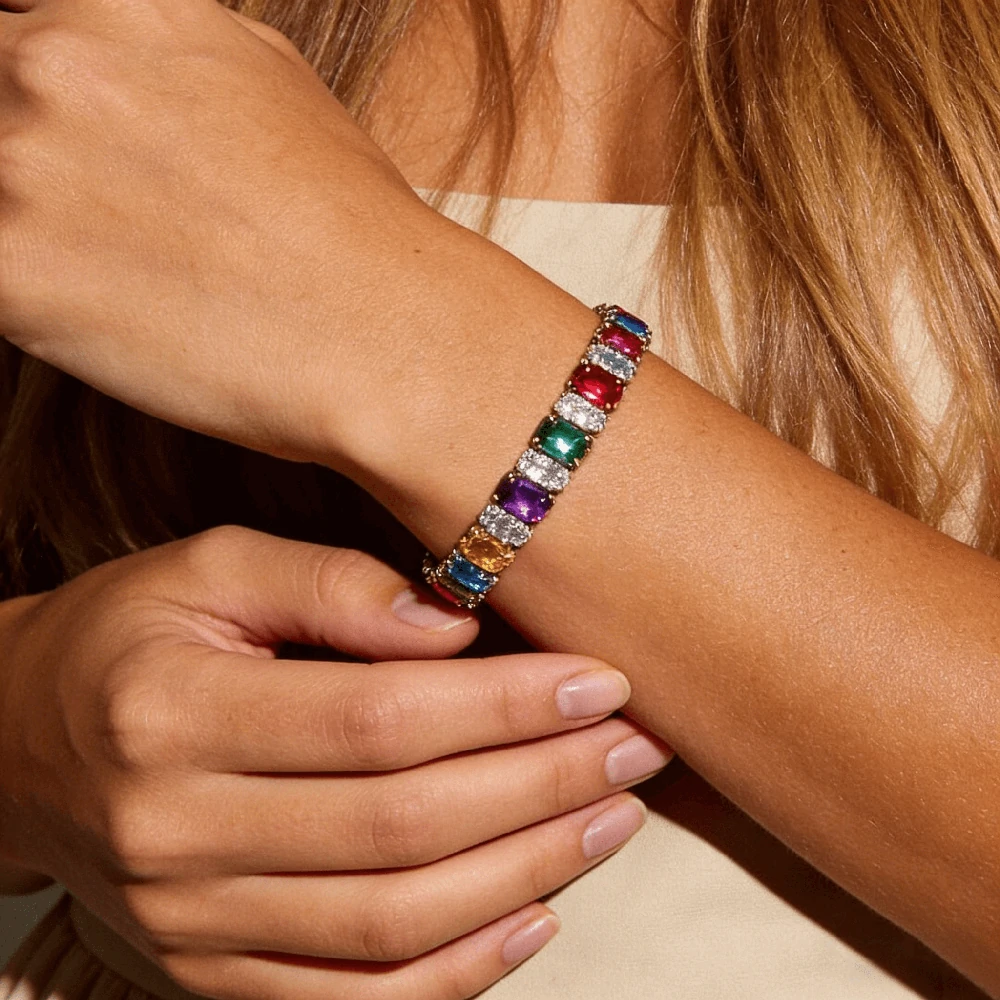
Show sparkle, stone size, and wrist fit.

Explore bold cuff designs through model photos.
Have questions about generating chain bracelet images for product listings, ads, or social content? These answers cover upload quality, link accuracy, metal finish, marketplace use, and result expectations.
Yes. A single clear product image is usually enough to create wrist-view results. For the best output, the bracelet should be separated from busy props, with the chain shape and closure area easy to identify.
The system aims to keep the main chain pattern, spacing, and overall silhouette close to your uploaded product. Very fine links, heavy glare, or overlapping chain sections may reduce accuracy, so a sharp source image matters.
Yes. It can be used for both fine, minimal chains and heavier statement styles. Delicate bracelets need sharper photos to keep small links visible, while bold chains benefit from clear lighting that shows thickness and surface reflection.
Yes. Clear metal color in the original image helps the final result look more natural. Avoid strong color casts, harsh reflections, or blown-out highlights, because these can make gold, silver, or rose gold appear less accurate.
Use a clean product photo where the bracelet is fully visible, separated from other jewelry, and not heavily folded over itself. A simple background, soft lighting, and enough resolution help the system read small chain details more clearly.
You can use them across ecommerce touchpoints such as Etsy listings, Shopify product pages, Amazon secondary images, social posts, email campaigns, and paid ads. For Amazon, use on-wrist images as supporting gallery images rather than the main product image.
Yes, depending on the templates available on the generator page. Different wrist styles can help you present the same bracelet in clean ecommerce, lifestyle, or campaign-style contexts.
If the clasp or extension is visible in the uploaded image, the result has a better chance of preserving those details. Cropped or hidden closures may be simplified, so include fastening details when they matter for your listing.
Not exactly. A mockup usually places a design into a fixed template, while this workflow starts from your actual bracelet product photo and creates a more realistic wrist-worn image for ecommerce presentation.
For many product listings and campaign tests, AI-generated wrist-view images can reduce the need for repeated photoshoots. Professional photography may still be useful for luxury campaigns, but AI images are practical for new launches, variations, ads, and fast content updates.