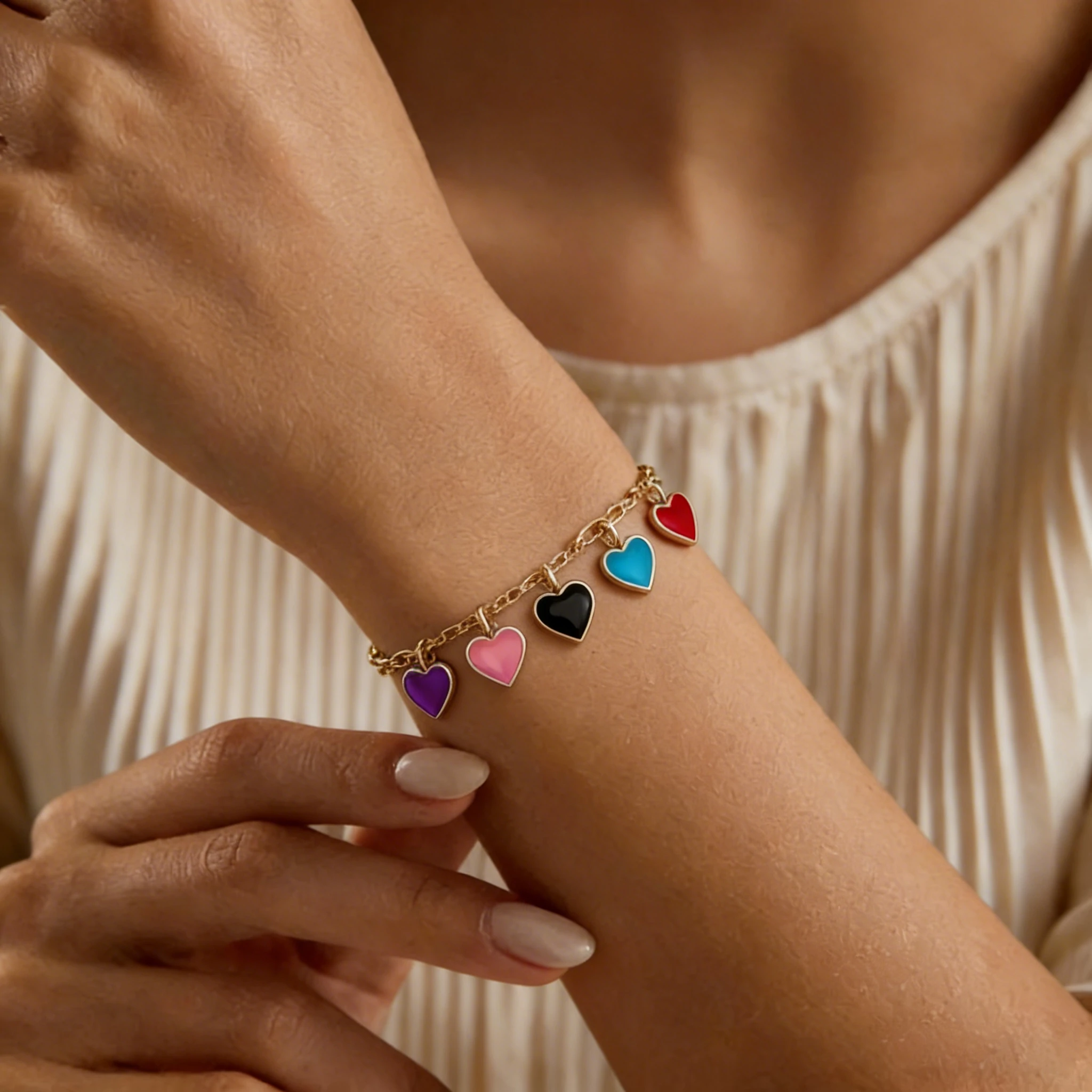
Charm Bracelet Model
See how individual charms hang from the bracelet.

Braided colors, woven texture, and tie ends are easy to flatten in a narrow shot. Add wrist scale so the pattern feels casual, personal, and ready for gifting.
Compare a clean source image with a realistic worn result made for friendship bracelet listings. Each pair highlights a buying detail—fit, pattern, readability, and color—so shoppers can decide faster.
Fit and thickness are easy to misjudge in a flat photo. A worn photo shows wrist wrap, placement, and how substantial it feels in everyday wear.
Patterns can look sharper in a product shot than they do when worn. The on-model result makes direction, spacing, and contrast easier to judge at real size.
For personalized styles, the key question is whether the name stays clear once worn. The model-worn photo shows bead scale, spacing, and the natural text curve around the wrist.
Soft colorways can read differently against skin than on a plain background. A worn result helps shoppers judge tone and color softness in a more natural context.
For friendship bracelets, buyers need more than a flat shape—they want color contrast, woven texture, bead size, letter spacing, adjustable knots, and wrist placement. This tool turns simple source images into realistic worn photos for handmade styles, custom name bracelets, seasonal colorways, adjustable cord styles, Etsy listings, Shopify product pages, and ads.
Flat studio shots can show the bracelet design, but worn-context friendship bracelet photos help shoppers understand fit, proportion, and everyday styling. For handmade, colorful, personalized, and adjustable styles, the details that drive a purchase are often color, texture, lettering, closure, and wearability.
Friendship bracelets often rely on color combinations — from soft pastels to bold rainbow threads and high-contrast chevron patterns. An on-wrist image shows color against skin, the feel of each colorway, and which style fits an outfit, gift idea, or everyday look.
Braided, knotted, and woven friendship bracelets can look flat in a simple studio shot. A worn result makes thread texture, weave direction, thickness, and handmade details easier to understand, so the piece feels more wearable and less like a flat-lay item.
For personalized friendship bracelets, shoppers need to know whether letters stay clear when worn — not just in a close-up shot. Model-worn photos help show bead size, spacing, name placement, and readability, which is especially useful for custom names, initials, best friend bracelets, and giftable designs.
Many friendship bracelets are adjustable, tied, or finished with sliding knots and loose cord ends. A worn photo helps shoppers judge wrist placement, relaxed fit, and whether the closure feels neat, casual, and comfortable for everyday wear.
From braided threads and chevron patterns to letter beads, heishi beads, and adjustable cord styles, every design has small details a flat image can miss. Create on-wrist bracelet photos that help shoppers understand color, texture, scale, lettering, fit, closure details, and everyday styling before they buy.
Everyday braid
Classic braided friendship bracelets look simple, but the selling point is often hidden in thread thickness, color blending, edge neatness, and wrist wrap. In a flat studio shot, this style can look too thin, too short, or less handmade than it really is.
A natural worn photo helps shoppers see real scale, adjustable ends, and relaxed everyday fit. This is especially useful when you offer multiple colorways and want each braided style to feel consistent, wearable, and ready for gifting.
Best for: handmade friendship bracelets, color variants, casual everyday styles, simple braided designs.
Pattern clarity
Chevron friendship bracelets depend on clean pattern direction, strong color contrast, and a recognizable V-shaped weave. Flat-lay photos can show the pattern, but not always its width or color strength at wrist scale.
A realistic worn image helps shoppers judge handmade texture, the angle of the weave, and whether the style feels playful, subtle, bright, or statement-making. For colorful chevron patterns, the same result also makes thread combinations easier to compare before buying.
Best for: chevron bracelets, rainbow styles, high-contrast threads, woven friendship bracelet patterns.
Personalized styles
For personalized friendship bracelets, shoppers care about one thing first: whether the letters are clear when worn. A close-up source image may show the name, but not always bead size, letter spacing, or the natural curve around the wrist.
Model-worn images help buyers judge whether the custom layout feels balanced, readable, and comfortable as a custom gift. This is especially helpful for names, initials, BFF bracelets, birthday gifts, and custom drops where small layout details can affect purchase confidence.
Best for: custom name bracelets, initials, BFF bracelets, personalized gifts, letter bead styles.
Colorful details
Seed bead friendship bracelets often use tiny beads, color blocks, and delicate patterns that can look flat or crowded in a plain product image. Shoppers need to understand scale: whether the style feels minimal, playful, colorful, or bold when worn.
A model-worn result helps highlight bead density, color rhythm, pattern detail, and pairing with skin tone or other jewelry. This makes colorful beaded styles feel more wearable for summer collections, festival looks, beach styles, and casual giftable bracelets.
Best for: seed bead bracelets, colorful beaded sets, summer styles, festival-inspired friendship bracelets.
Bead rhythm
Heishi and clay bead styles are colorful, casual, and often built around repeating color blocks or tiny accent details. In a flat studio shot, shoppers may not fully understand bead scale, bracelet thickness, or the color sequence around the wrist.
A natural worn image helps show the relaxed fit, bead spacing, color rhythm, and everyday styling appeal. This works well for beachy bracelets, summer colorways, surfer-inspired designs, and playful handmade styles that need to feel wearable, not just decorative.
Best for: heishi styles, clay-bead designs, beach bracelets, colorful handmade friendship bracelets.
Fit & closure
Adjustable friendship bracelets rely on functional details that are easy to miss in a flat image, such as sliding knots, cord thickness, loose ends, and closure placement. Shoppers want to know whether the piece looks secure, comfortable, and easy to adjust for everyday wear.
A worn photo shows cord placement, the bracelet’s wrist space, and whether the knot design feels neat or relaxed. This is useful for wax cord bracelets, surfer-inspired styles, minimalist friendship bracelets, and handmade adjustable designs.
Best for: adjustable friendship bracelets, wax cord bracelets, sliding knot styles, surfer-inspired bracelets.
Turn a clean product image into a worn-context bracelet photo in just a few steps. For best results, start with a clear friendship bracelet photo where the colors, weave, beads, letters, or adjustable knots are easy to see.
Step 1
Start with a clear product photo of your friendship bracelet. Make sure the braided pattern, bead shape, letter spacing, color blocks, or cord ends are visible and not covered by props, packaging, or heavy shadows.
Step 2
Pick a wrist model that matches the look you want. A close-up wrist view works well for letter beads and woven details, while a relaxed lifestyle pose can make colorful or casual friendship bracelets feel more wearable.
Step 3
Create a realistic on-wrist bracelet photo for your listing, product page, ad, or social post. Use it to show shoppers the bracelet’s scale, fit, texture, color, and everyday styling when worn.
Start with a clear bracelet photo so the AI can better read the colors, texture, beads, letters, and closure details. Better uploads usually create cleaner on-wrist images with more natural scale, fit, and styling.
Low-resolution, dark, or compressed images can make colors, letters, and woven details harder to preserve.
Folded, twisted, or tangled bracelets may lead to uneven placement or unclear on-wrist results.
Tags, boxes, hands, or packaging that cover key details can interfere with wrist placement.
Heavy edits can shift thread colors, bead tones, and contrast, making the result less accurate.
Avoid cutting off names, knots, bracelet ends, or key bead details in the upload.
For one clear style, avoid mixed or overlapping bracelets. Use separate images whenever possible.
Whether you sell handmade bracelets, custom name styles, or colorful seasonal drops, on-wrist photos help shoppers understand the worn look before they click, save, or buy.
Create clearer Etsy friendship bracelet listings for braided, beaded, and personalized styles without arranging a new photoshoot for every design. Show the handmade details shoppers care about most — color, texture, detail scale, wrist fit, and everyday wearability.
Personalized bracelets need more than a close-up product shot. On-wrist images help shoppers see letter spacing, detail scale, name placement, and whether the custom design feels right as a gift or everyday bracelet.
Keep product pages consistent across colorways, seasonal drops, and casual bracelet collections. Use model-worn photos to make each product page feel more complete and easier to compare.
Turn simple product images into wearable photos for ads, social posts, new launches, and creative testing. Model-worn photos can make colorful bracelet designs feel more scroll-stopping, giftable, and easy to understand at a glance.
Bracelet Models
See how different bracelet styles look on models and find inspiration for your product photos.
See how individual charms hang from the bracelet.

Highlight bead colors and textures in on-wrist photos.

Showcase birthstone colors and personalized details.
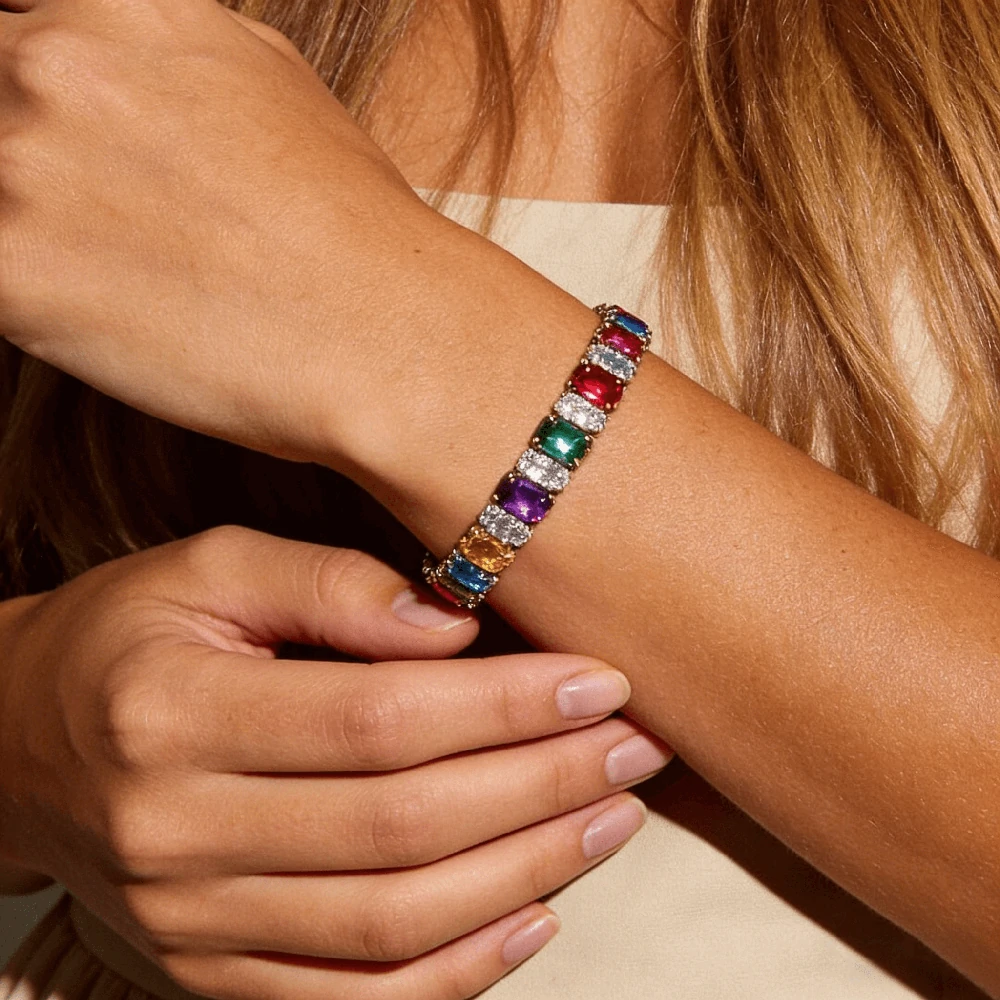
Show sparkle, stone size, and wrist fit.

Show off chain links and metal finishes on the wrist.

Explore bold cuff designs through model photos.
Have questions about turning friendship bracelet images into on-wrist results? Here are the key things to know before generating photos for braided styles, alphabet-bead designs, colorful beaded looks, adjustable cord bracelets, and ecommerce listings.
Yes. Upload a clear friendship bracelet product photo, choose a wrist template, and generate an on-wrist image that shows the bracelet’s worn look. This is useful for turning flat images into more realistic listing images for Etsy, Shopify, Amazon, ads, and social posts.
Yes, it can work well for braided string bracelets, chevron patterns, woven designs, and similar handmade styles. For best results, use a product photo where the thread colors, weave direction, bracelet edges, and adjustable ends are clearly visible.
Yes, but the upload photo matters. For alphabet-bead styles, make sure the letters face the camera and are not cropped, blurred, or hidden by shadows. A clear product image helps the final worn photo show bead size, letter spacing, and name placement more naturally.
The goal is to keep your bracelet design, color feel, bead layout, and woven details as close as possible to the original product image. Very dark images, strong filters, blurry uploads, or tangled bracelets may lead to less accurate results, so a clean and well-lit source photo works best.
Single, clearly visible styles usually work best. Braided string bracelets, chevron bracelets, seed bead bracelets, heishi or clay bead bracelets, letter bead bracelets, and adjustable cord bracelets are all good fits when the product photo shows the main shape and details clearly.
Yes. Use them as secondary listing images, Shopify product page images, Amazon secondary images, TikTok Shop product images, ad creatives, and social media content. They help shoppers understand color, texture, detail scale, wrist fit, and styling before they buy.
For the clearest result, upload one main bracelet or one clearly defined style at a time. Complex stacks, overlapping bracelets, or matching sets may be harder to preserve accurately because the AI needs to understand multiple shapes, colors, and placements at once.
Use a clean, front-facing product photo with good lighting and a simple background. Make sure the bracelet is not tangled, cropped, heavily filtered, or covered by props. For personalized bracelets, keep letters and beads readable in the original image.
Try uploading a clearer source image, choosing a wrist template that better matches your bracelet style, or generating another variation. Small details like letter spacing, thread colors, knots, and bead shapes usually improve when the original file is sharp and easy to read.