
Chain Necklace Model
Distinctive links and natural drape across chain styles.

Pearl size, spacing, strand curve, and luster set the tone before buyers read the details. Present the piece as classic, bridal, gift-ready, or everyday without making the strand feel artificial or overdone.
Compare each source file with a finished model visual across four pearl necklace designs. This section highlights pearl-specific cues that flat images often miss, including row rhythm, surface highlights, organic outlines, and pendant presence.
Classic pearl strands can look simple in a flat product shot, but buyers still need to judge fullness and formality. The worn view makes row balance easier to read.
Pearl chokers can look elegant in a product photo, but shoppers may worry about a tight or crowded feel. A close-neck view makes throat framing, comfort, and refinement easier to judge.
Baroque pearls depend on irregular shapes, but those details can be hard to read in a cutout. This version helps confirm that uneven edges, ridges, and natural character still feel intentional.
A pearl pendant can look small in a standalone image, especially on a fine chain. The close-up view clarifies focal-pearl impact and chain support without making the design feel too light.
This tool turns a pearl necklace product image into a model-worn visual for online selling. It helps sellers present pearl proportion, surface character, color variation, and styling direction on a real person without booking a photoshoot. Use it for listing visuals, gallery content, ad creatives, and launch pages from your existing jewelry photo.
Pearl necklaces often look cleaner in product-only images than they do during an actual purchase decision. A worn reference gives customers more context for scale, finish, length, occasion, and perceived value before they choose.
Millimeter numbers are useful, but many shoppers cannot picture them clearly. A model photo makes pearl size easier to judge by showing how much presence the beads create when worn.
A pearl necklace can lose appeal if the row looks too stiff, too loose, or uneven. A wearing reference gives customers a better sense of how the row falls around the neck.
Pearls rely on glow, reflection, and subtle surface detail. A finish-focused reference keeps luster soft and refined instead of dull, flat, or overly bright.
Length can change the whole style of a pearl necklace. A wearing reference clarifies high, collarbone, or lower-chest placement, so customers understand the position faster.
Wedding shoppers often need more than a clean product image. A bridal-focused reference helps shoppers judge a romantic, elegant, delicate, or formal impression for dresses, veils, bridesmaid outfits, and ceremony styling.
Pearl necklaces are often bought for birthdays, weddings, anniversaries, and graduation gifts. A polished selling image makes the item feel more complete and easier to imagine as a meaningful present.
Pearl necklace styles can change dramatically once they move from a catalog frame to a worn context. These examples help shoppers see how different designs sit, separate, and stand out beyond a plain catalog image.
Multi-strand pearl necklaces can look rich and elegant, but they also raise a common buyer concern: will the rows feel graceful or too heavy? When several rows sit close together, shoppers need to understand depth, spacing, and overall fullness before they feel confident.
A comparison view makes row separation, neck balance, and formal appeal easier to compare. This works well for double-row and triple-row pearl designs.
Watch how the strands behave as they curve around the sides of the neck. Each one should follow its own path without crossing, changing order, or pulling a neighboring strand out of place. Pearls within each strand should also keep the intended size pattern and luster from one side to the other.
Y pearl necklaces rely on vertical movement, so a flat image often fails to show the real drop effect. Customers may wonder where the center line falls, how delicate the lower pearl detail appears, and how it works with V-neck dresses, blouses, or eveningwear.
A body-reference visual presents the Y shape more clearly. It makes the front drop easier to understand and gives sellers a stronger way to present elegance, vertical line, and styling purpose without arranging a new shoot.
The center junction should look clean and well aligned. Both sides should meet the connector neatly, while the lower section hangs freely without twisting at the join. Any small rings or fittings should remain proportionate to the design rather than drawing attention away from the pearls.
Tin Cup pearl necklaces use spaced pearls along a fine chain, which can make them difficult to judge from a product-only image. If spacing feels too wide, shoppers may think the piece looks sparse; if the chain is too subtle, the design may feel less valuable than it is.
A worn reference helps customers read the open spacing, chain visibility, and lightweight feel. It also clarifies intentional pearl placement instead of a scattered impression, which matters for everyday jewelry and delicate gift pieces.
Look closely at how each pearl connects to the chain. The attachment points should appear clean and secure, while the chain between pearls should lie smoothly without kinks or sharp bends. Because the pearls are set apart, differences in tone or luster are also easier to notice.
Graduated pearl necklaces depend on a smooth size transition from smaller side pearls to a stronger center focus. In a standalone image, buyers may miss a natural, symmetrical, or flattering transition.
A comparison image clarifies the center emphasis and smooth size transition. This helps sellers present the design as classic, balanced, and premium without relying only on measurements.
Pearl matching matters beyond the change in size. The larger center pearls should share a consistent tone and luster with the smaller pearls toward the sides, while the strand remains smooth as the pearl sizes change. A center pearl that tilts, drops below its neighbors, or creates a sharp bend can disrupt the graduation.
Minimalist pearl necklaces are easy to underestimate because the design is intentionally subtle. Small pearls, fine chains, and delicate spacing can disappear in a plain product image, leaving shoppers unsure about a refined or too-faint impression.
In a wearing view, the design’s quiet value becomes easier to notice. Sellers can communicate everyday elegance and lightweight wear while keeping the pearl detail visible enough for customers to appreciate.
Scale matters with minimalist pieces. Tiny pearls should stay true to their size against the neck, and fine chains should not appear heavier than they are. Close-up images can reveal attachment points and surface detail without making a delicate necklace look larger or more substantial than the actual piece.
Pearl chain necklaces combine pearl elements with metal links, so the biggest challenge is balance. Buyers need to compare chain strength, pearl softness, and modern finish without a mismatched impression.
A worn-context visual clarifies the relationship between pearl accents and chain texture. This helps sellers present paperclip pearl chains, gold pearl chains, and mixed-material designs as intentional fashion pieces, not just assembled parts.
Pay attention to the connections between the pearls and metal links. Jump rings and small fittings should stay neatly aligned, elongated links should keep their shape, and pearl drops should hang freely without twisting into the chain. Lighting should preserve both the metal finish and the softer luster of the pearls rather than making the two surfaces look alike.
Pearl necklace visuals need to communicate more than the overall style. Buyers often look for scale, shape, color character, length position, and surface finish before they feel confident enough to choose the piece.
Pearl measurements can feel abstract. A worn reference helps shoppers judge delicate, classic, or bold presence.
Round, oval, button, and irregular pearls create different impressions. The image should keep the original outline.
Pearls can appear white, ivory, pink, silver, golden, gray, or dark. Keeping the tone accurate makes the item feel true to life.
Buyers notice uneven pearls across a necklace. The final visual should keep natural variation balanced, not distracting.
Short pearl necklaces need clear wearing context because shoppers may worry about a tight or crowded look near the neck.
This traditional range should land in the expected upper-chest area, which buyers often want to confirm.
Mid-length pearl necklaces can work for office outfits, layering, or softer styling, but catalog-only visuals rarely make that difference clear.
Long pearl necklaces need body reference because shoppers want to understand if the piece feels elegant, dramatic, or too formal.
Bright areas should follow the pearl surface naturally. Random white spots can make pearls look harsh or less refined.
The visual should not push white pearls too yellow, gray pearls too flat, or golden pearls too orange.
Pearls should not merge into one pale line. Clear separation helps shoppers understand individual beads and row structure.
Pearls should look luminous without becoming waxy, plastic-like, or overly glossy. This is especially important for premium and handmade pieces.
Start with a pearl necklace file, choose a style direction, then review the final output before use.
Step 1
Add a clear photo where the pearls, chain, clasp, and pendant area are easy to see. Avoid cropped, tangled, or heavily shadowed sources.
Step 2
Select a close-up, bridal, or modern fashion direction that fits your product page. Choose a neckline that keeps the pearl design easy to read.
Step 3
Check pearl shape, color, surface detail, and placement. Then download it for galleries, ads, social posts, or launch pages.
A stronger output starts with a clean source file and ends with a careful final check. Use this checklist to reduce distorted pearl details, unclear necklace position, and styling issues before adding the final visual to your store.
Choose a source where the necklace outline is clear. Avoid cropped ends, hidden clasps, or busy backgrounds.
Pick a view where individual pearls stay visible. If they blend together, the final result may lose bead structure.
Avoid harsh glare, deep shadows, or overexposed white areas. Pearls need enough detail for the surface to stay believable.
Start with a view where the strand, chain, or focal detail sits naturally. Twisted sections can create inaccurate placement.
Upload a clear item instead of overlapping pieces. A simple source helps the design stay clean and easy to read.
Check whether round, oval, button, or irregular pearls keep their original form. They should not all become identical.
Review the shine across the pearl surface. It should feel dimensional, not flat, harsh, or overly glossy.
Make sure the length looks believable for the style. Short pieces should not sit too low, and longer designs should not rise too high.
For designs with a focal pearl, check pendant balance and any side drift.
Check pearl visibility against the model’s skin. Pale pearls need separation, and darker pearls need enough depth.
Pearl necklaces often need more than a clean catalog view. Use your generated visuals where shoppers need to understand scale, finish, occasion, and styling before they feel ready to buy.
Use pearl necklace photos as secondary listing images to support your main product shot. They can help shoppers compare bead presence, length impression, and gift appeal before they favorite the item or add it to cart.
Add them to product galleries and collection pages where customers compare similar pearl designs. This is useful when two necklaces look alike in catalog photos but feel different once styled.
Use them as supporting visuals to explain proportion, wearing position, and detail clarity. Keep your main image compliant with marketplace rules, and review the latest Amazon seller guidelines before publishing.
Pearl jewelry ads need to communicate value quickly. A pearl-focused ad image can make the piece feel more personal, polished, and occasion-ready within a small ad frame.
Use these visuals for wedding edits, gift guides, anniversary promotions, and new collection launches. Pearl pieces often sell through emotion, so a warm product scene can make the message feel more complete.
Add styled pearl visuals to necklace collections so shoppers can compare delicate, formal, modern, and statement pieces faster. This helps the page feel less like a product grid and more like a curated jewelry story.
Necklace Models
See how different necklace styles look on models, from gemstones and gold to classic chains.
Distinctive links and natural drape across chain styles.

Warm gold tones and delicate details in model photos.

Colorful gemstones, from beaded strands to statement pendants.
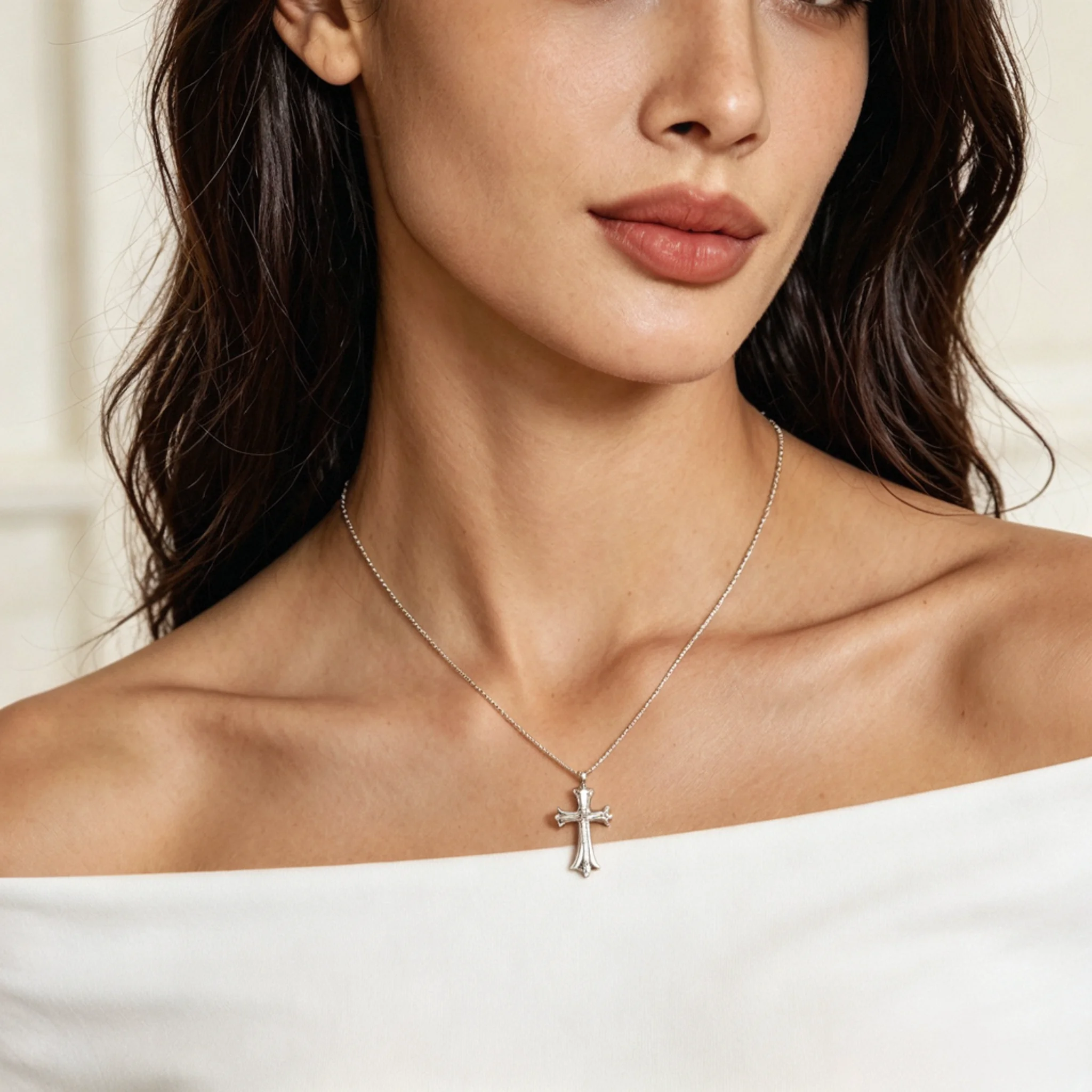
Silver textures and finishes paired with different necklines.
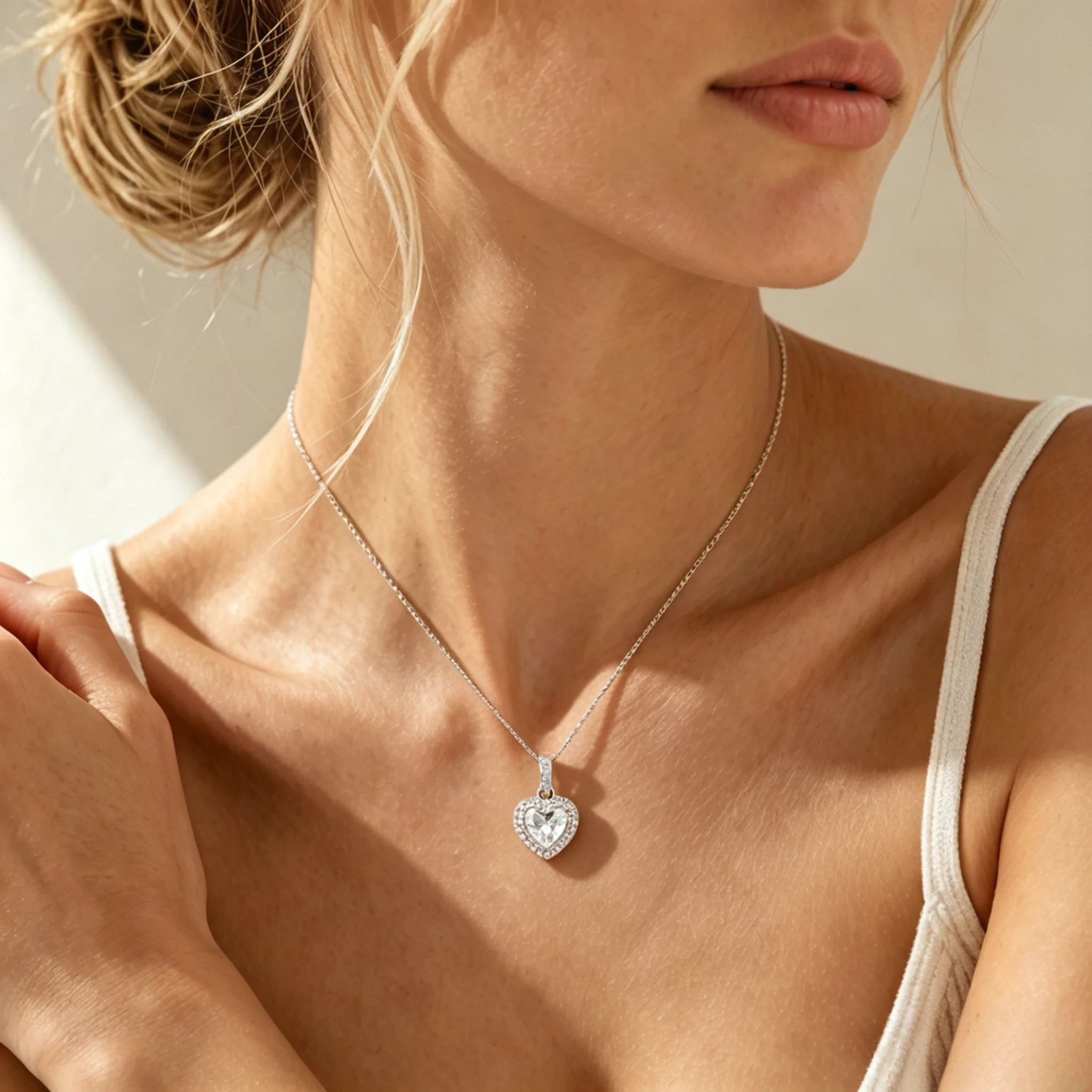
Diamond sparkle and pendant details in close-up model photos.
These answers focus on pearl-specific concerns, including necklace scale, small pearl detail, close-up needs, length impression, and final review for online jewelry sellers.
Yes. You can use it for many pearl necklace designs, from delicate daily pieces to layered, long, mixed-material, and statement styles. For better results, start with a clean source file where the main structure is easy to understand.
The final image should be reviewed carefully, especially for oval, button, potato, and irregular pearls. AI may simplify small details, so sellers should compare the output with the original item before using it in a live listing.
Yes, but it should be treated as a presentation reference, not a measurement tool. Use clear product dimensions in your description, then use a scale reference to help shoppers understand the overall size impression.
Yes. Smaller pearls can disappear in a plain catalog frame, while larger pearls may look dressier than buyers expect. Keep exact millimeter details in the listing, then use a body-scale reference to make the size easier to picture.
Yes. Pearl necklaces can look very different depending on styling, crop, and model direction. A wearing reference helps shoppers place the item for daily wear, office outfits, gifting, bridal styling, or a more dressed-up occasion.
No. Keep your original product photo for accurate product documentation. AI-generated visuals work best as supporting assets for wearing context, style direction, and purchase appeal.
Use a clear, well-lit file with the full necklace visible. Avoid tangled jewelry, cropped edges, strong glare, and multiple pieces overlapping in one photo, because these can make the final result less reliable.
Yes. Check pearl shape, color, surface detail, necklace length, pendant alignment, and skin contrast. Small changes can affect how valuable, delicate, or formal the piece feels to shoppers.
Yes. A wearing reference should not replace close-up detail shots. Use close-ups for surface texture, clasp detail, pearl finish, and craftsmanship, then use styled visuals to present how the necklace feels in a real selling context.
Yes. Pearl necklaces are often used for wedding looks, bridesmaid gifts, and formal jewelry collections. Choose a soft, elegant model direction and review its fit with the dress, neckline, and occasion you want to present.