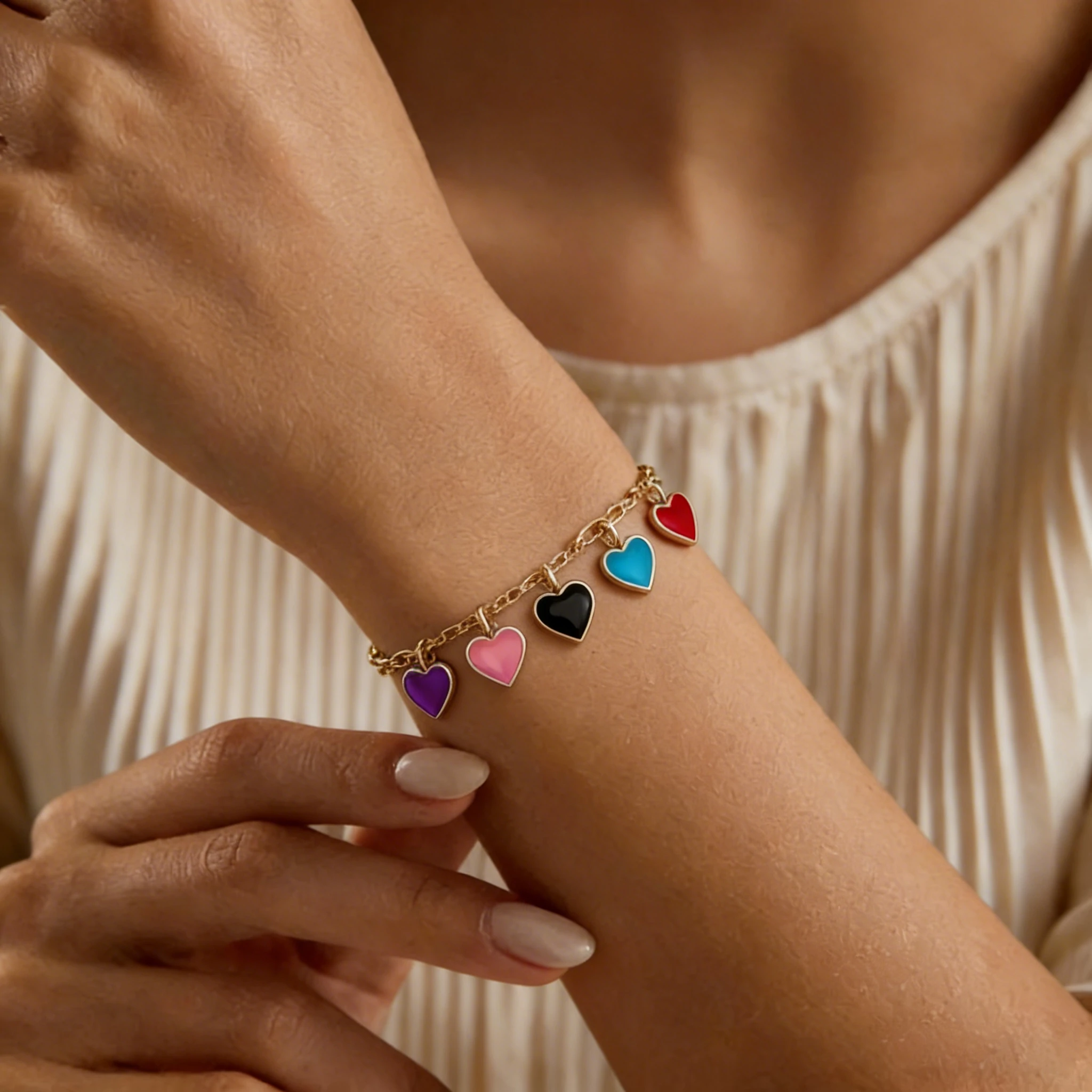
Charm Bracelet Model
See how individual charms hang from the bracelet.

Birthstones, initials, and charms carry the reason buyers choose this style. Bring the color story, spacing, and metal tone together so each custom option feels gift-ready.
See how clean bracelet photos can become polished wrist-worn results for ecommerce. These examples focus on birthstone color, sequence, scale, metal finish, initials, charms, and personal details buyers need to evaluate.
A single birthstone bracelet often depends on one small center stone. The worn result helps buyers see the stone color, chain thickness, and bracelet proportion more clearly than a flat product photo alone.
Family birthstone bracelets need a clear stone sequence because each color may represent a child, parent, partner, or birth month. The on-wrist photo shows the stones across the wrist and makes the color sequence and chain curve clear.
Initial birthstone bracelets combine personal lettering with a birth month stone. The wrist photo keeps the letter charm, stone color, and chain proportion visible, making the custom details easier to compare before purchase.
Mother’s birthstone bracelets often carry names, initials, or stones connected to family members. A wrist-worn photo gives buyers a clearer sense of bracelet size, charm placement, gemstone visibility, and everyday styling.
This tool helps jewelry sellers turn birthstone bracelet source photos into natural-looking on-wrist results for ecommerce. It shows stone color, stone sequence, bracelet scale, metal finish, initials, and charms in a clearer wearing context, making personalized designs easier for buyers to evaluate.
Use it for custom jewelry pages, personalized product listings, secondary images, ads, and social content.
Buyers are not only comparing a bracelet design. They are choosing a piece connected to a birth month, a person, or a meaningful moment. Model photos give shoppers a clearer view of how the design feels when worn, helping them make decisions with more confidence.
Personalized jewelry often carries a specific story, date, or recipient. A model-worn photo helps shoppers move beyond the flat catalog view and decide whether the piece feels right for the person they have in mind.
Birth-month gems, engraved marks, name letters, and delicate accents can be difficult to evaluate in a plain product shot. Showing the design in a wearing context helps buyers see how those details work together.
A clean source image can document the item, but model photos add context for secondary listing images, landing pages, email campaigns, and social ads. This gives sellers more channel-ready photos to use across different placements without changing the item itself.
Birth-month jewelry often changes across month options, gem choices, metal tones, engraving updates, and seasonal campaigns. A reusable image workflow helps sellers update catalog photos without rebuilding a full shoot plan for every change.
These pieces are not only judged by shape or metal finish. Buyers also look for the selected stone, its meaning, placement, and how personal details such as names, dates, symbols, or birth flower accents appear with the design.
Different birthstone bracelet styles need different kinds of product detail. These examples present month-related elements in a clearer wearing context before shoppers place an order.
BIRTHSTONE ACCENT & CHARM DETAIL
Purpose: Show how the birthstone accent, charm position, and bracelet shape work together when worn.
Birthstone charm bracelets often combine a small birthstone accent with a personal symbol, such as a heart, disc, star, name charm, or meaningful icon. In a flat product photo, the charm may look clear, but buyers may still wonder how noticeable the birthstone is once the bracelet is worn.
A wrist-worn photo shows whether the birthstone accent feels subtle, bright, delicate, or prominent. It also clarifies charm placement against the wrist and the bracelet’s natural wearing position.
This is especially useful for designs where the birthstone is small but important. The image should show the gem accent, charm edge, chain connection, and metal tone clearly.
BIRTH MONTH BEADS & COLOR IDENTITY
Purpose: Present birth month beads with clearer size, material texture, and color recognition.
Beaded birthstone bracelets usually rely on gemstone-inspired colors to represent a specific month. Buyers may compare garnet red, amethyst purple, aquamarine blue, emerald green, ruby red, sapphire blue, or other month-related tones before choosing the right design.
An on-wrist result shows bead scale in real proportion, not just as a flat row of colors. It also indicates whether the bracelet feels soft, earthy, polished, casual, or refined.
This style needs good source images because bead surface and color depth matter. A clear input photo helps preserve bead texture, roundness, and month-color impression for buyer review.
GEM CLARITY & MONTH STONE APPEARANCE
Purpose: Show gemstone clarity, surface detail, and month-specific color in a more practical product-page photo.
Crystal and gemstone birthstone bracelets often depend on material appearance. Buyers want to see whether the gem looks transparent, cloudy, polished, faceted, soft, bright, or natural. These qualities are closely tied to how they understand the month stone.
A clean wrist-worn photo shows the birthstone material catching light in context. It gives shoppers a better sense of gem presence without turning the page into a plain catalog view.
This works well for bracelets built around amethyst, aquamarine, emerald-inspired stones, opal-like accents, sapphire tones, or other month-related gemstone styles. The final photo should preserve the gem surface and bracelet curve.
REMEMBRANCE GEM & PERSONAL DATE
Purpose: Present remembrance designs with clear birthstone accents, engraving, and a calm product mood.
Memorial birthstone bracelets often carry a deeper meaning than ordinary jewelry. The selected stone may represent a loved one, an important date, or a personal memory. Small details such as an engraved name, date, symbol, or gem accent need to feel clear and respectful.
A wrist photo helps buyers understand the bracelet’s presence without making the design feel too busy. It gives a softer context for the birthstone while keeping the focus on the personal detail.
For this style, the image should look simple and balanced. The birthstone accent, engraved area, and metal finish should remain visible, especially when the bracelet is used for remembrance, sympathy, or keepsake collections.
NAME, DATE & BIRTHSTONE PAIRING
Purpose: Show how engraved names, dates, or short messages pair with the birthstone detail.
Engraved birthstone bracelets are often purchased because two personal elements appear together: a birthstone accent and a custom text detail. Buyers need to judge whether the nameplate, date, coordinate, or short message looks balanced with the birthstone accent.
A wrist-view photo shows how much room the engraved area takes on the wrist. It also makes it easier to see whether the birthstone feels connected to the text detail rather than looking like a separate decoration.
This style works best when the original photo clearly shows the engraving area and selected stone. Avoid strong glare across the nameplate, because reflections can make personal text harder to read.
BIRTH FLOWER & MONTH STONE MEANING
Purpose: Show the flower symbol and birthstone accent working together in one personalized bracelet design.
Birth flower and birthstone bracelets combine two month-based details in one piece. The flower symbol carries the month identity, while the birthstone adds color and jewelry detail. Buyers often need to see whether these two elements feel balanced together.
A wrist-view result shows the size relationship between the flower detail and the birthstone accent. It also helps shoppers judge whether the design feels delicate, symbolic, minimal, or more decorative.
This style is especially useful for product pages where buyers compare different month combinations. A clean image can help them understand how the flower outline, gem accent, chain, and metal tone appear as one finished bracelet.
Create polished bracelet photos in three simple steps. Start with a clean bracelet photo, choose a model photo template, and generate wrist-view results for your product pages, ads, and social content.
Step 1
Add a clear bracelet photo with visible month stone, chain shape, clasp, and personal details.
Step 2
Pick a wrist style, background, and photo style that match your product page.
Step 3
Create polished on-wrist photos for listings, ads, campaign pages, and social content.
Start with a clean bracelet photo so birth-month details stay readable. Small gems, engraved areas, personal symbols, chain shape, clasp detail, and metal tone should be clear before you create final ecommerce photos.
Soft focus can make the birth-month gem harder to recognize and less useful for buyers.
Missing bracelet sections can hide fastening, sizing, or finishing details.
Strong reflections can make names, dates, initials, or short messages difficult to read.
Distracting surfaces can compete with small gems, charms, flower details, and fine chain work.
Dark areas may hide gem settings, charm edges, engraved marks, or delicate metal texture.
Several bracelets in one frame can make the exact product harder to identify.
Use wrist-worn photos in the places where buyers need more context than a plain catalog photo. Clear bracelet photos can support product pages, secondary listing photos, campaign pages, ads, email, and social content while keeping the focus on the center stone, personal details, and actual bracelet design.
Add wrist-view photos as secondary listing images so shoppers can see the stone detail, personal details, metal tone, and bracelet presence before they choose an option.
Place worn bracelet images beside your clean catalog photos to give buyers a clearer view of size impression, detail placement, and overall style.
Use product-focused wearing context to support your main image. This helps shoppers evaluate the bracelet while keeping listing information clear and accurate.
Create fresh ad photos for Pinterest, Instagram, Facebook, TikTok Shop, and paid ads when promoting birthday jewelry, month-based options, or personalized designs.
Refresh campaign images for Mother’s Day, birthdays, anniversaries, memorial collections, holiday launches, and limited-time product updates.
Use polished bracelet photos on homepage sections, gift guides, collection banners, and landing pages where shoppers compare different month options or personalized details.
Bracelet Models
See how different bracelet styles look on models and find inspiration for your product photos.
See how individual charms hang from the bracelet.

A closer look at colorful threads and woven patterns.

Highlight bead colors and textures in on-wrist photos.
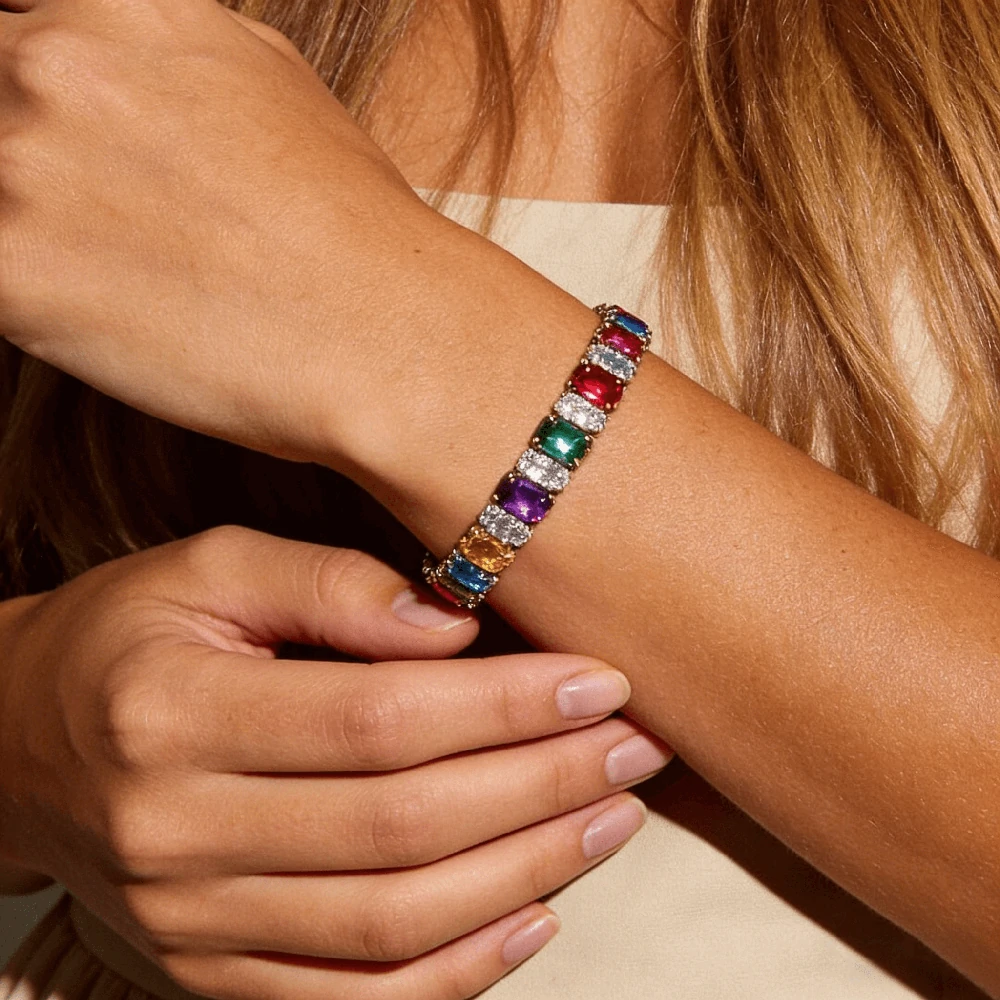
Show sparkle, stone size, and wrist fit.

Show off chain links and metal finishes on the wrist.

Explore bold cuff designs through model photos.
Have questions before creating your bracelet photos? Here are a few quick answers about uploads, image use, and product detail checks.
Yes. You can start with one clear source photo. Frame the full bracelet and make sure the selected stone, chain shape, clasp area, engraving, charm, or nameplate detail is visible.
A clear source photo gives the best chance of keeping the center stone easy to recognize. Use balanced lighting and avoid heavy shadows or reflections, especially when the gem color represents a specific birth month.
Yes. It can be used for bracelets with names, dates, initials, coordinates, short messages, or nameplates. The engraved area should be clear in the original photo so shoppers can still evaluate the personal detail in the final image.
Yes. Birth flower and birthstone designs work well when both elements are visible in the source image. The flower symbol, birthstone accent, chain detail, and metal finish should be clearly visible before generating new product photos.
Upload one bracelet per image on a simple background. Use soft lighting, keep the full design in frame, and make sure small details such as gems, charms, engraving, clasp, and chain ends are not cropped or blurred.
Avoid blurry gems, cropped chain ends, harsh reflections, strong shadows, busy backgrounds, or several bracelet designs in one frame. These issues can make small birth-month details harder to read in the final product image.
Yes. The finished images can be used for Etsy secondary listing images, Shopify product pages, Amazon secondary images, campaign pages, email, social content, and paid ads. Your product information should still describe the exact materials, size, and personalization options.
Yes. You can create listing photos for different birth month stones, metal tones, engraved details, and bracelet variations. For each option, use a source photo that matches the exact product choice shown on the listing page.
No. They should support your regular catalog images, not replace them completely. Use clean catalog photos for accurate detail review, and add on-wrist photos to show wearing context, bracelet presence, and personal design details.
Yes. Using a consistent wrist style and background can help your product page look more organized across different month gems, metal tones, or personalization options. Just make sure each generated image still matches the actual product shown in that listing.