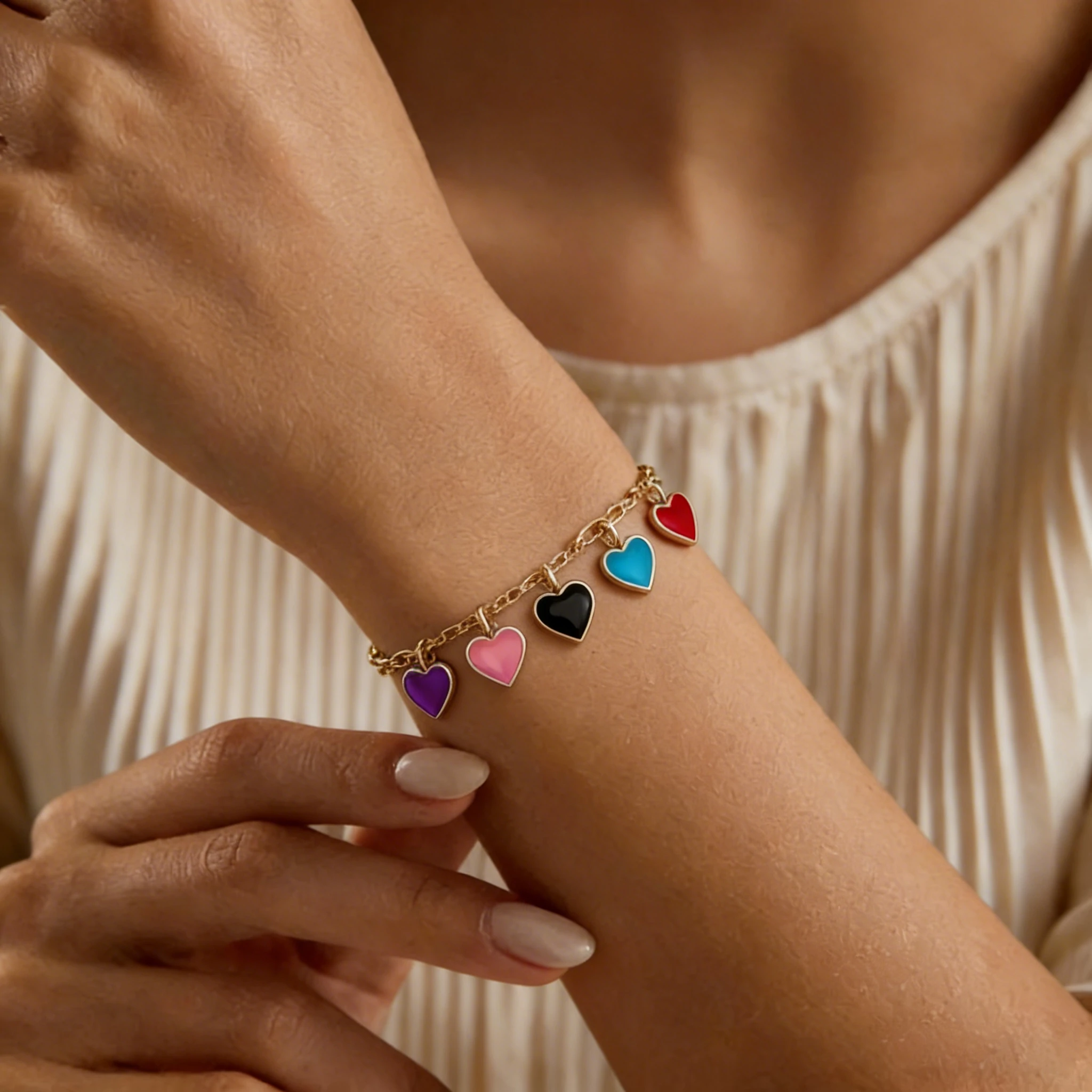
Charm Bracelet Model
See how individual charms hang from the bracelet.

Different bead styles need more than a flat catalog angle. Put color order, bead size, material texture, and handmade character into a wrist scene that feels clear, full, and easy to compare.
Compare a product-only bracelet photo with a generated model result. These examples focus on bead-level details that matter for beaded jewelry, including round bead separation, surface finish, cord structure, spacer details, and how the bracelet curve reads when worn.
Round beads can look flat, crowded, or harder to judge in a product-only photo. The model result helps shoppers see bead separation, bracelet curve, and whether the strand still feels balanced when worn.
Stone beads often depend on subtle texture, veining, and finish. Showing the bracelet on a model helps buyers connect those material details with the way the piece looks as a finished accessory.
Small construction details can affect how finished a bracelet feels. A model photo helps shoppers notice cord structure, spacer placement, bead holes, and accent details without relying only on a close-up product shot.
Clear, glass, crystal, and polished beads can lose their character if the lighting feels too flat. The model result helps show shine, transparency, and surface finish in a more realistic product setting.
A product-only image can show the bracelet design, but it often leaves key buying questions unanswered. With round beads, elastic cords, personalized details, and mixed materials, shoppers need real-life product context before they can picture how the piece will actually look.
Round beads can appear larger or smaller depending on camera distance, angle, and background. A wrist-view example gives shoppers a clearer sense of real-life proportion.
Alternating colors, gradients, and mixed tones can look different once the bracelet curves naturally. Showing the design in use makes the color sequence easier to read and more intentional.
Elastic bracelets do not sit like chains or bangles. Buyers may wonder whether the piece will look relaxed, feel tight, or appear bulky once worn.
Name, initial, and word designs depend on clarity. Shoppers want to know whether the message remains easy to read when the bracelet bends naturally.
Many designs include one larger bead, a center accent, or a special color section. In a product-only shot, it can be hard to tell where that feature will sit when worn.
Many shoppers are buying for birthdays, friendship gifts, bridesmaid sets, or seasonal drops. A naturally styled example makes it easier to picture the bracelet as a giftable, ready-to-give piece.
Different bead styles need different product-page details. A gemstone bracelet, a clay bead bracelet, a letter bead design, and a men’s stone bracelet all have different details buyers care about. This section shows how each style can be presented in a more wearable, product-page-ready way.
NATURAL STONE DETAIL
The appeal of gemstone beaded bracelets often comes from the character of the stones: veining, translucency, matte texture, and small color variations. A flat product photo can show the material, but it may not fully show how the bracelet looks once styled on the wrist.
A model-style image places those natural details in a more realistic buying context, so shoppers can judge the scale, color contrast, and overall mood more easily. It helps shoppers see how the stone texture translates into a finished wrist look.
Best for: jade, agate, turquoise, tiger eye, lapis, lava stone, crystal beads, and wellness-inspired stone styles.
COLORFUL EVERYDAY STYLE
Clay bead bracelets are usually driven by color, pattern, and a relaxed casual mood. A clean product shot can show the color sequence, but it may not capture the playful, beachy, or everyday feeling behind the design.
A model photo gives the bracelet more lifestyle context, helping shoppers see whether the colors feel youthful, summer-ready, sporty, or easy to wear with casual outfits. This is especially useful when you sell many colorways and need each variation to feel fresh without arranging a new shoot.
Best for: heishi beads, colorful flat beads, summer bracelets, beach styles, youth collections, and custom colorways.
PERSONALIZED GIFT STYLE
Letter bead bracelets depend on clarity. Names, initials, short words, and custom messages need to stay readable, but a flat photo does not always show how the design will look once the bracelet curves naturally.
A wrist-view image helps buyers check whether the message still looks centered, readable, and balanced. It also makes the bracelet feel more personal and giftable, which matters for custom names, bridal party sets, and event orders.
Best for: name bracelets, initial bracelets, word beads, friendship gifts, bridesmaid sets, custom names, and personalized drops.
SOFT LUSTER & ELEGANCE
Pearl beaded bracelets can look very simple in a plain catalog shot, especially when the design is minimal. Their appeal is usually subtle: soft luster, clean proportion, and a polished look that feels easy to wear.
A model photo gives the bracelet a softer, more refined presentation without making it feel over-styled. It lets shoppers picture the piece with bridal looks, simple outfits, or gifting occasions, while still keeping the design clean and elegant.
Best for: pearl bracelets, bridal accessories, minimalist jewelry, elegant gifts, feminine collections, and classic everyday styles.
SMALL BEADS, FINE PATTERNS
Seed bead bracelets often include tiny beadwork, fine color bands, woven patterns, or delicate handmade details. In a product-only photo, these small details can look busy or too subtle to appreciate.
A model image gives the design a clearer sense of scale and detail, making the fine pattern easier to understand without losing its delicate handmade feel. It helps shoppers see the bracelet as a crafted accessory, not just a narrow strip of color in a catalog image.
Best for: seed beads, narrow bead bands, woven bead patterns, tiny beadwork, delicate handmade styles, and artisan bracelet designs.
MATTE TEXTURE & STRONGER SCALE
Men’s beaded bracelets often use darker colors, matte finishes, larger beads, and a more grounded everyday look. In a product-only image, black stone, wood, or lava beads can look too similar, making the style feel flatter than it really is.
A model photo helps show the bracelet’s presence, material finish, and casual styling more clearly. It gives shoppers a better sense of whether the design feels understated, rugged, polished, or easy to pair with everyday menswear.
Best for: onyx bracelets, lava stone, tiger eye, wood beads, matte beads, larger bead sizes, and men’s everyday jewelry.
Start with a clear bracelet image, choose a model style, and generate a product-ready photo that helps shoppers see the design in use. The process is simple, but small bead details like letters, color order, and material finish can make a big difference in the final result.
Step 1
Choose a photo where the full bracelet is visible and the design details face the camera. Clear bead edges, readable letters, and balanced lighting give the AI a better starting point.
Step 2
Pick a template that matches the look you want for your product page or campaign. A clean, natural scene usually works best for showing color, material, and everyday wearability.
Step 3
Create the model photo, then check whether the bead pattern, color balance, lettering, and material feel still match your original bracelet. If needed, try another source photo or model template for a cleaner result.
Before uploading, make sure your bracelet photo gives the AI enough detail to read the product accurately. Clear bead edges, color order, letter direction, material finish, and overall bracelet shape can help reduce distorted details in the final result.
Each bead should have a clear outline, especially when the bracelet uses small beads, dark beads, or similar colors. If the edges blend together, the final result may make beads look merged, uneven, or less defined.
If the bracelet has alternating colors, gradients, rainbow sections, or repeated patterns, make sure the sequence is easy to follow. This helps the AI understand the design structure instead of treating the bracelet as a random mix of colors.
For name, initial, word, or charm-accented designs, keep the important details facing the camera. Rotated letters, hidden symbols, or tilted focal beads can make the personalized part harder to preserve.
Pearls, crystals, glass, lava stone, and polished beads all react differently to light. Use soft, even lighting so luster, stone texture, matte finish, or transparency stays visible in the source image.
A little empty background around the bracelet helps the AI read the full outline. If the product touches the image edge or overlaps with props, the final result may lose part of the curve, cord, or bead strand.
Tiny beads, separator beads, bead holes, cords, knots, and fine surface details need a sharp source image. Low-resolution uploads can make these parts look soft, simplified, or less accurate in the generated image.
Accuracy Note: AI results can vary depending on the source photo and selected model template. For beaded bracelets, always review bead order, letter placement, material finish, bracelet quantity, and any center details before using the image in a product gallery or campaign.
Marketplace image rules can change, so always check the latest seller guidelines before adding AI-generated model photos to your listings. For beaded bracelet listings, keep real bracelet photos as the main product reference, then add generated model images where they help explain styling, seasonal use, or campaign content.
For Etsy, especially handmade, personalized, or made-to-order pieces, buyers need to feel confident that the listing shows the bracelet they will actually receive. Keep a real product photo clear and easy to find, especially for custom names, color choices, bead mixes, and size options. AI-generated model photos work best as supporting gallery images. Use them to show how a letter bead, pearl, clay, or gemstone bracelet may look when styled, while making sure the design still matches the item you ship.
Amazon product pages usually need a clean, accurate main image that focuses on the item being sold. For beaded bracelets, keep the core product easy to verify before adding lifestyle photos or model images. AI-generated model photos are better suited for secondary gallery images, A+ content, ads, or social posts. They can help explain gift appeal, everyday use, and styling context, but should not change the bracelet’s color, quantity, material, clasp details, or included accessories.
On your own Shopify store, you have more room to shape the story around each bracelet. AI beaded bracelet photos can support product pages, collection banners, email campaigns, seasonal landing pages, and ad tests. The key is consistency. Keep real product photos, close-ups, variant images, and material notes available, then add model photos to show mood, styling context, and gift occasions without making the product feel different from what the customer receives.
Use generated model photos as part of a complete product photo set, not as the only proof of the item. Be careful with details that matter to buyers: bead color, letter placement, bracelet quantity, charm position, finish, size, and customization options. A safer listing usually includes the original product photo, detail close-ups, variant images, and one or more styled model photos. This helps shoppers make a more confident decision while keeping the listing accurate and easier to trust.
Bracelet Models
See how different bracelet styles look on models and find inspiration for your product photos.
See how individual charms hang from the bracelet.

A closer look at colorful threads and woven patterns.

Showcase birthstone colors and personalized details.
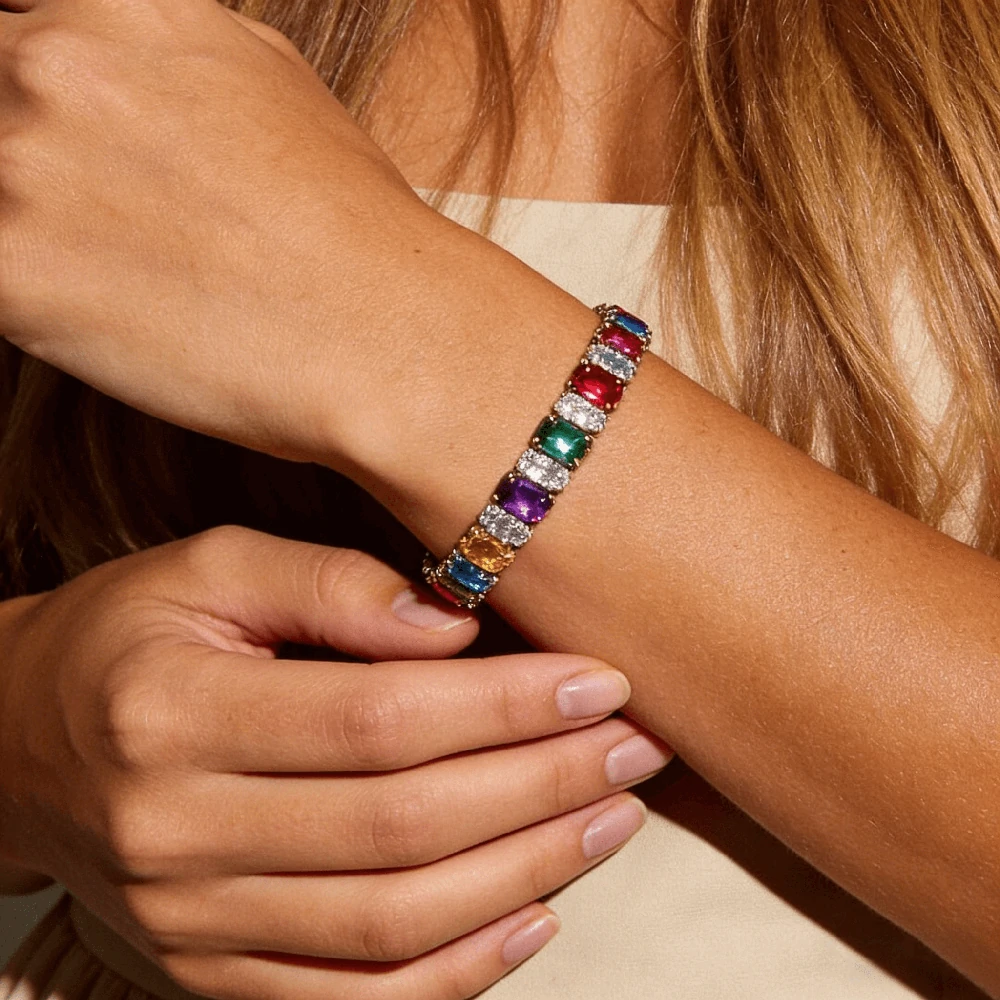
Show sparkle, stone size, and wrist fit.

Show off chain links and metal finishes on the wrist.

Explore bold cuff designs through model photos.
Have questions before turning your bracelet photos into model images? Here are the key things sellers often ask about bead details, product accuracy, upload quality, marketplace use, and different bracelet styles.
It takes your uploaded bracelet image and shows the same design in a realistic wrist-view scene, helping shoppers picture how the piece may look when worn. It is useful for sellers who want to highlight bead details, color arrangement, material feel, and giftable styling without arranging a traditional photoshoot.
Yes. Start with one clear product image where the full bracelet is visible, then choose a model template that matches the style you want. The final result can show the bracelet in a more wearable setting for listings, ads, or campaign images. For better results, avoid blurry photos, cropped beads, strong filters, or backgrounds that blend into the bracelet. Small beads, letter beads, pearls, crystals, and dark matte beads usually need sharper source images to keep the details clear.
This works well for many common bead styles, including gemstone, clay bead, letter bead, pearl, seed bead, lava stone, onyx, tiger eye, wood bead, and men’s beaded bracelets. Designs with clear bead edges, visible patterns, and simple backgrounds usually give the AI a stronger reference.
The result is usually better when the original photo clearly shows the color order, bead shape, and main design details. Very blurry images, strong color filters, or hidden sections may make the final image less accurate, so it is best to upload the cleanest product photo you have.
Yes, but letter clarity depends heavily on the source photo. Names, initials, and short words should face the camera and be easy to read before upload. If the letters are rotated, cropped, shadowed, or too small, they may be harder to preserve in the generated model photo.
It can help present those material details more clearly when the uploaded image already captures them well. Soft, even lighting is important for pearls, crystals, glass beads, lava stone, and polished gemstones because overexposure or deep shadows can hide the finish before the AI processes the image.
Use a high-resolution image where the full bracelet is visible, the bead edges are sharp, and the main design faces the camera. A simple background with enough contrast helps the AI read small beads, separator beads, cords, bead holes, and personalized details more accurately.
Yes, but use them carefully and always check the latest seller guidelines for each platform. For beaded bracelet listings, keep real bracelet photos as the main product reference, then add generated model images for styling context, seasonal use, or campaign creative.
Try uploading a clearer product photo with better lighting, sharper bead edges, and more space around the bracelet. Small beads, letter beads, transparent materials, and dark matte finishes need especially clean source images. You can also test another model template if the first result does not show the bracelet clearly enough.
A general AI beaded bracelet generator is often used to create new bracelet ideas, concept images, or prompt-based designs. This tool starts from your uploaded bracelet image and focuses on presenting your existing design in a model-style product photo. That makes it more useful for ecommerce sellers who already have a real product and need images for product pages, ads, or social content. You should still review small details like bead order, lettering, color balance, and material finish before publishing the final image.