
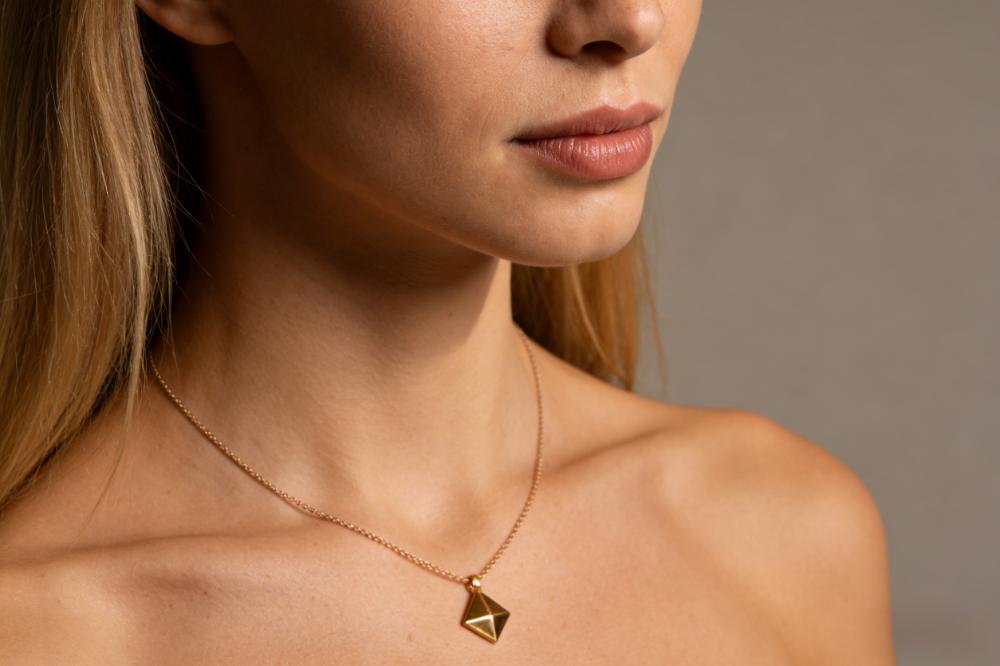
The good news is that you can use Nano Banana to generate jewelry on model photos that appear almost like a genuine shoot, and you don't have to pay for a model, hire a photographer, or rent a studio. In this article, I'll show you a useful workflow: what photos to get ready, how to communicate with Nano Banana, copy and paste jewelry model prompts, how to tell good outputs from poor ones, and how to convert it into a little "photo factory" that you can run every week. You'll also discover what mistakes other jewelry business owner made, what Reddit users learned the hard way, and how Nano Banana compares to AI jewelry models.
What you need before you start: tools, images and mindset
Tools
A way to access Nano Banana
For example, the Gemini web UI or any other platform that shows off the Nano Banana model.
A way to save and crop images
Your computer’s default image viewer, a simple editor, or any lightweight design tool.
Input images
Clear product photos of your jewelry
Ideally, the product images should be flat lay or basic so that you can see all the features, such the clasp, stones, prongs, and chain.
The longest side should be at least 1024–1500 pixels so that Nano Banana can perceive the little details.
Optional: a model photo or customer selfie
For true “try‑on” style nano banana jewelry model images.
Mindset
Don't think of this as a one-time magic trick; think of it as establishing a process that you can use again and over again.
In my experience, the second or third set of photographs usually gave the greatest results, provided they enhanced the quality of the input and the prompts.
If you give Nano Banana good raw materials and clear instructions, it will act like a junior photographer that you can teach.
Step‑by‑step: how to use Nano Banana to put jewelry on AI models
2.1 Step 1 – Get your jewelry photos ready for Nano Banana
Nothing else matters if the input is terrible.
Look at two sellers:
Seller A posts a hazy, noisy picture of a ring taken in a yellow kitchen with a lot going on in the background.
Seller B uploads a clear, evenly illuminated ring shot on a light gray backdrop that is 1500 px long.
Use a sharp, evenly lit photo so the stone edges, setting, and band are easy to distinguish. Blur and strong color casts make it harder to compare the generated image with the original product.
Checklist for good input photos:
Resolution: The longest side should be at least 1024 pixels, but 1500–2000 pixels is best.
Background: No significant textures or patterns, just white or light gray.
Light: Light that is soft and even. Don't have strong shadows or highlights that are too bright.
Composition: Jewelry with a little space around it in the middle; not chopped off at the edges.
If you're getting things ready for a free test run of the nano banana jewelry concept, start with just 3 to 5 hero SKUs and make sure the photographs are as clear as possible.
2.2 Step 2: Pick the proper model or selfie base
There are three basic ways that Nano Banana can help with jewelry:
Fully AI‑generated model
Use proper prompts, Nana Banada can generate AI jewelry model wearing your jewelry.
Existing model photo and jewelry
You upload a photo of a genuine model and ask Nano Banana to add your item.
Customer selfie → virtual try‑on
You change a selfie into an AI model of a nanobanana wearing your jewelry.
Usually, Option 2 and 3 produce the most realistic results for most jewelry sellers because there is already a natural face, position, and lighting.
Good features for foundation photos
Face is plainly visible (not turned away completely or hidden with hair).
You can see the region that matters:
For necklaces, the neck and collarbone.
Ears for earrings.
For rings and bracelets, use your hands and wrists.
The pose is natural and relaxing, not too bent.
The background shouldn't be too busy; Nano Banana can handle it, but basic is better.
When you test with selfies, ask your friends or customers to submit you pictures of themselves that they already like, using plain clothes and no excessive effects. In real life, "normal nice selfie + simple background" nearly always wins "heavy filter + neon lights."
2.3 Step 3 – Write Nano Banana jewelry model prompts that actually work
This is where most people get stuck. They just write simple prompts, such as “add necklace on AI model”, then click the button to create and wonder why everything looks weird.
This is what a nano banana prompts jewelry model structure looks like:
[Who/what] + [Jewelry source] + [Angle/composition] + [Lighting/background] + [Quality words]
Let’s walk through some copy‑paste‑ready examples.
Example: necklace for e‑commerce product page
Prompt 1: A studio photo of the chest up (with the necklace in focus)
"Make a photograph of a woman from the chest up wearing this [NECKLACE PHOTO]. A neutral studio background, gentle front lighting, and natural skin texture make the necklace stand out and be easy to see. The composition is tidy and the aspect ratio is 1:1."
Why it works?
Tells Nano Banana to crop from the chest up
This [NECKLACE PHOTO] tells you where the jewelry came from.
Says it's for e-commerce, not a weird art poster.
Locks in a clear 1:1 ratio for product pages
Example: side‑profile earrings shot
Prompt 2 – Side‑profile earring model
"Make a side-profile portrait of a woman with these [EARRING PHOTOS] in her hair tucked behind her ear. Soft studio lighting, a light gray backdrop, and crisp focus on the earrings with genuine shadows on the ear make this a good landing page for a jewelry line."
Example: ring close‑up on hand
Prompt 3: Close-up of the hand (ring detail)
"Take a close-up of a hand model wearing this [RING PHOTO]. The skin should look natural, the knuckles and nails should look real, the light should be soft, the depth of field should be shallow, the ring should be in sharp focus, and the background should be slightly blurred. This is a great shot for an e-commerce ring detail."
Example: Lifestyle photo of a bracelet on a wrist
Prompt 4: A picture of a lifestyle bracelet on your wrist
"Put this [BRACELET PHOTO] on a wrist holding a coffee cup in a cafe. Daylight, soft shadows on the hand, a comfortable stance, and a bracelet that is clearly visible and wraps around the wrist in a natural way. This is a lifestyle style for social media."
Use these as templates for jewelry model prompts.
Change just every time:
The picture in the brackets [PICTURE OF A RING] / [PICTURE OF A NECKLACE]
The setting: studio, lifestyle, or outside
The goal is to use it on a product site, social media, or an ad.
2.4 Step 4 – Generate, pick the best Nano Banana jewelry models and refine
It's time to press "generate" now.
Don't make just one photo and then stop.
Think of this as a test shoot:
Make 4 to 8 different versions of each product.
If they seem good, make a second batch with tiny changes to the prompt.
How to tell whether a nano banana jewelry model picture is good?
Use this short checklist for quality gates:
Fit:
The necklace follows the contour of the neck and doesn't float or cut through the flesh.
Earrings hang from the right spot on the ear.
Rings fit naturally on the finger; there are no fused or additional fingers.
More information:
The stones and metal appear crisp and not melted.
You can still see the prongs and chain links.
Light:
The scene's shadows and highlights look real.
Jewelry doesn't light like a neon sign unless you want it to.
Face and skin:
The face seems real, not too airbrushed.
The color of your skin reflects the style of your product and the people you want to sell it to.
If something isn't right, change your prompt instead of quitting up.
Improvements to examples
Jewelry seems too artificial; add "very realistic, accurate shadows and reflections on the jewelry, no over-smoothing"
Face continues morphing → add "Don't change your identity; keep the same face and expression."
Weird hands → be clear: "realistic hand anatomy, the right number of fingers, and natural knuckles and nails"
Keep the versions that pass your product-detail and placement checks. If the same flaw appears repeatedly, change the source photo, model image, or prompt before generating again. Save the inputs and instructions for any result you decide to use.
2.5 Step 5: Make it a repeatable method for making Nano Banana jewelry models.
Don't start again every time you have a success.
Make this into a tiny production line.
Three things that most publications don't inform you about:
Make a matrix of SKU prompts
A basic spreadsheet with the following columns: SKU, product type, base prompt, highest performing angle, and remarks.
Over time, you start to see patterns. For example, your audience could like 4:5 lifestyle images better than 1:1 white backdrop shots.
Set 2–3 "styles" as the norm
For example:
Style A: clean studio 1:1 (for online stores).
Style B: 4:5 lifestyle (for your Instagram account).
Style C: close-up images that are tight for detail.
Lock a prompt template for each type and use it again.
Run tiny A/B tests
If you have a popular product, display half of the people who visit a picture of the product and half a picture of a Nano Banana jewelry model as the first picture.
For seven days, keep an eye on the click-through rate from the listing page to the product page and the add-to-cart button.
If the model version wins by 10% to 15%, you know this procedure is worth expanding.
This is how you get from "playing with AI" to utilizing it like a reliable engine.
Nano Banana vs other AI models for jewelry: what’s different?
You might be asking, "Why not just use any AI image model?"
Here’s the short version of how Nano Banana jewelry model workflows compare to common alternatives:
Changing genuine photographs versus making new ones from text
A lot of generic models are helpful for making concept art from text.
Nano Banana is very good at changing photographs that are already there:
Putting a jewelry on a real person.
Changing the design of an earring in a picture.
This is a big plus for merchants who already have pictures of their products and themselves.
Consistency in face and stance
When using generic models, the face might alter a lot from one generation to the next.
Nano Banana is better for instructions that say things like "keep this face the same, only add jewelry."
This is really important for brand identity and getting people to come back.
Jewelry detail fidelity
Some versions have trouble handling thin chains, little stones, and prongs; they melt into mush.
In actuality, when given a decent picture of a product, Nano Banana frequently keeps:
Structure of the chain
Reflections of gemstones
The overall shape of the design
How hard the prompt is
Many merchants say that Nano Banana needs shorter, simpler prompts than models that are quite stylized.
This is a significant victory for busy business owners: they can spend less time making prompts and more time listing items.
In short, if your sole aim is to "put my real jewelry on believable models," Nano Banana is one of the best options right now.
5.
Five errors that new people often make and how to prevent them
Mistake 1: Using "whatever product photo is lying around"
Don't expect miracles if your product photo is dark, loud, and taken on your kitchen table.
Fix: Choose 3 to 5 SKUs and take new pictures of them with:
A phone on a little stand
Next to a window that lets in soft light
Background in white or light gray
This "mini reshoot" can make your nano banana jewelry model outputs a lot better.
Mistake 2: Writing prompts with three words
"put a necklace on the model"
"girl with earrings"
These are too unclear. Nano Banana doesn't know:
Studio or way of life?
Close-up or full body?
Page for a product or a campaign poster?
Fix: Use the prompt structure from Step 3, which should include at least:
Who or what
Source of jewelry
Angle
Light
Use (e-commerce, social media, ads)
Mistake 3: Making one picture and utilizing it right away
I've seen jewelry seller make one model photograph for each product and submit it right immediately, even if the hand looks strange or the chain is off.
Fix:
Make 4 to 8 pictures for each SKU.
Use the checklist for quality gates.
Only post the top one to three that seem real.
Think of it like a quick casting call: most of the applicants are fine, but a few are amazing.
Mistake 4: Not paying attention to "small" details that scream "AI"
Customers may not know why something feels wrong, but they do.
Things that are often a sign of trouble:
Rings that go into the skin
Earrings that "pierce" hair in ways that don't make sense
Chains that hang just over the neck
Fix: Before you use an image, zoom in to 150–200% and look at:
Shapes of fingers
Edges of the ears
Points of contact on the chain
If anything doesn't appear right, either throw away the image or attempt an other challenge.
Mistake 5: Making jewelry appear better than it does in real life
It might be hard not to turn up the gloss and shine until everything appears fake.
That could work for adverts, but it could hurt your business on product pages.
When the pictures of jewelry appeared too different from the real thing in several case studies, returns and complaints went up, even if the click-through rate went up.
Fix:
Use colors and lighting that look authentic.
Make sure the size and color of the stones are true to life.
Use "hero" photographs in adverts, but be honest with e-commerce images.
What we learned from Reddit: actual efforts at making Nano Banana jewelry models
Reddit is now a peaceful place for AI jewelry tests. Sellers talk about both their successes and failures.
There are a few patterns that keep coming back:
People who spend more time on beautiful product photographs say they have fewer "AI fail" moments.
A number of people remark that adding terms like "realistic," "natural skin texture," and "accurate shadows" made a big difference.
For selfie‑based try‑ons, prompts like “keep the same face and expression” significantly reduced weird transformations.
One remark said it well:
"I used to sell semiprecious gemstone bracelets on Etsy. Nano banada images does a great job putting them on models, though it takes a few tries sometimes to make sure the jewelry is accurate enough. It has a tendency to upgrade items to look nicer if the quality of the photography/model is too good."
Another typical piece of advice from Reddit is:
"I think AI jewelry model photos are necessary. It can be difficult shopping for jewelry online when the seller doesn't provide a photo of how it looks in use... Like the diameter of a stud earring is 10 mm or the width of a ring is 3 mm...? I can't picture how it will look on a human and I end up navigating away."
FAQ: Nano Banana jewelry model for sellers
Q1: Is it truly okay to utilize photographs of Nano Banana jewelry models on my product pages?
Yes, as long as the pictures are true, honest, and show your actual merchandise. A lot of merchants utilize them instead of missing model images or to try out new visual trends before they pay for complete sessions.
Q2. How many pictures should I make for each product?
For a real test, strive for:
1–2 pictures of the pure product (your own shots)
2–3 pictures of Nano Banana jewelry models from different angles and styles
First, make 8 to 12 AI photos, and then keep just the best 2 to 3.
Q3. What if the AI jewelry doesn't appear exactly like the actual thing?
Compare the result with your original product photo. Reflections can change with the lighting, but the jewelry’s design should still match. Check the stone shape, setting, chain pattern, metal color, and overall proportions.
If parts have been added, removed, or reshaped, try a clearer source photo or generate another version. Do not use a visibly altered result to represent the item you sell on product pages or in ads. Keep the original product photos and specifications as your reference.
Q4. Do I need a fast computer to operate Nano Banana?
No. The model provider's servers do the heavy lifting.
Nano Banana works with any browser or app that supports it. Your GPU isn't as important as a solid internet connection.
Q5. How can I make sure that all of my AI jewelry model photographs have the same brand style?
Save 2–3 prompt templates and use them again.
Use the same words to describe the lighting and the background, such "soft studio light" and "light grey backdrop."
Write down the combination that works and label it your "Brand Style A/B/C."
Action plan: the next three things you need to do
You don't have to redo your whole store. Start small and useful:
Choose two or three main goods , your best-selling items or new arrivals.
For each one, make sure the product photographs are clear.
Make pictures of Nano Banana jewelry models
Follow the instructions in this guide.
Try to get 8 to 12 outputs for each SKU and keep the best 2 to 3.
Do a basic test for a week
Add the updated model photographs to the product pages.
Keep an eye on the number of impressions, clicks, and add-to-cart rates.
You know this approach is worth growing if your stats go up even a little bit.
Even little changes are important. If your conversion rate rises from 2.0% to 2.4%, you get 20% more sales without spending more on ads.
When you’re ready to scale: automate with an AI jewelry model tool
Doing everything manually with Nano Banana is perfect for learning the ropes and refining your style. But once you have dozens or hundreds of SKUs, copy‑pasting prompts and downloading images one by one gets old quickly.
That’s where an AI jewelry model tool built around this workflow can help:
You upload your jewelry product photos once.
You choose a model style, skin tone and scene.
The system uses a Nano Banana‑style workflow behind the scenes to generate consistent jewelry on models at scale.
If you like the process in this article and want to turn it into a push‑button workflow, you can try our own AI jewelry model tool. It wraps everything you’ve learned — good inputs, tested prompts, quality checks — into a simple interface so you can focus on selling, not on wrestling with prompts.
Try it when you feel ready to scale—after you’ve seen at least one SKU perform better with Nano Banana jewelry model images.
Final thoughts
You don’t need a big studio budget to get believable model photos anymore. With a clean product shot, a clear nano banana jewelry model prompt and a bit of patience, you can create AI model images that boost clicks and sales.
Start with one product, one prompt and one tiny test. Once you see it work, repeat it. Step by step, you’ll build your own AI‑powered jewelry content engine — and your store won’t look “cheaper” than the big brands anymore.